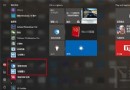
Windows 10 全新安裝後桌面僅有「資源回收筒」,傳統的「我的電腦」(現稱「這台電腦」)、網路、控制台圖示皆預設隱藏。以下為顯示「這台電腦」的標準做法:
同樣方式可勾選「控制台」、「網路」、「使用者的檔案」等圖示。亦可透過控制台 → 外觀與個人化 → 桌面圖示 進行設定。
Win10 IIS 怎麼開啟 ASP 程式錯誤訊息除錯?兩處設定「傳送錯誤到瀏覽器」+「詳細錯誤」
Windows 32 位元 vs 64 位元:記憶體支援上限完整解析
Win7 安裝軟體時 IE 提示「禁止安裝無效簽章」?在網際網路選項允許安裝無效簽章軟體
Win7 設定螢幕自動關閉時間:省電又延長顯示器壽命
Windows 10 將迎來「動態任務列」?洩露截圖顯示類 Android 底部導航列風格
Windows 7 找不到相容性標籤?群組原則還原「刪除程式相容性內容頁」設定
Win8 使用 net user 指令建立無密碼帳號:需在系統管理員模式下執行
Win10 設定頁面無法開啟?微軟官方修復工具一鍵解決