Windows XP Windows 7 Windows 2003 Windows Vista Windows 綜合教學 Linux 系統教學
Windows 10 Windows 8 Windows 2008 Windows NT Windows Server 電腦軟體教學
您现在的位置: Windows教程網 >> Windows教程 >  >> Windows 綜合教學 >> 關於 Windows

Win10 Redstone Build 11099/11102 升級後跳出 WSClient.dll 錯誤?單行指令即可修復

編輯:關於 Windows

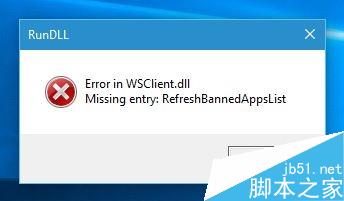
升級至 Win10 Redstone Build 11099 或 11102 後,使用者頻繁遇到彈窗錯誤:「Error in WSClient.dll Missing Entry: RefreshBannedAppsList」。微軟內測主管 Gabriel Aul 確認此為已知問題,並提供簡單解法:刪除對應的排程工作即可。

修復指令

  1. 右鍵「開始」按鈕 → 選擇「命令提示字元 (系統管理員)」或「Windows PowerShell (系統管理員)」。
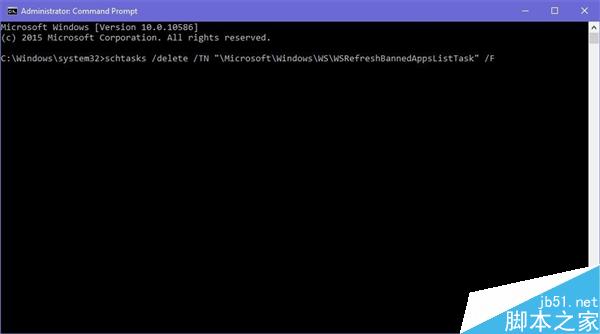
  2. 輸入以下指令並按 Enter:
    schtasks /delete /TN "\Microsoft\Windows\WS\WSRefreshBannedAppsListTask" /F
  3. 重新開機或重新登入,錯誤彈窗即不再出現。

WSClient.dll 錯誤彈窗

指令執行畫面

說明:此排程工作為預覽版特有機制,正式版不會出現。微軟表示不會針對此問題單獨釋出修補程式,將在後續預覽版中一併修正。

Copyright © Windows教程網 All Rights Reserved