Win10 滑鼠操作延遲可能由內建 Xbox 應用程式的 Game DVR 功能 引起。解決方法非常簡單:
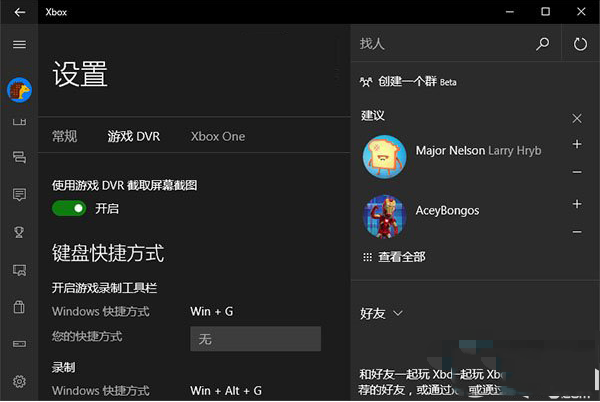
確認是 DVR 導致延遲後,Microsoft 應會在後續更新中修復此問題。
Win10 Mobile 週年更新 14393.594 預覽版推送(Release Preview 通道),修復 Bug 提升穩定
下載:Windows 10 Build 10122 中文 64 位 ISO(網友封裝)
《我的世界》PC/Mac 版用戶免費獲取 Win10 Beta 版:Win10 商店已上架
Win7 Print Spooler 服務啟動失敗?登錄表修補 ImagePath 秒啟動
Windows 10 與 Cortana 小娜玩成語接龍、聽歌識曲等遊戲教學
Windows 10 無線網路適配器/存取點有問題?內建診斷、IP 重取、驅動更新三步驟排除