Windows XP Windows 7 Windows 2003 Windows Vista Windows 綜合教學 Linux 系統教學
Windows 10 Windows 8 Windows 2008 Windows NT Windows Server 電腦軟體教學
您现在的位置: Windows教程網 >> Windows教程 >  >> Windows 綜合教學 >> 關於 Windows

Windows 7 檔案總管右鍵選單加入「移至/複製至」資料夾:登錄新增 ContextMenuHandlers

編輯:關於 Windows

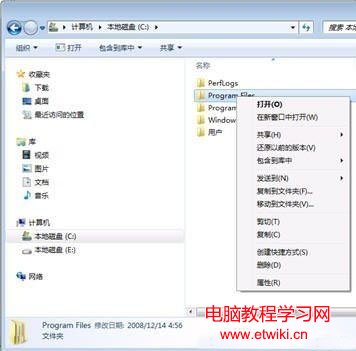
Windows 7 檔案總管預設右鍵選單無「移至資料夾」「複製至資料夾」。在登錄 HKEY_CLASSES_ROOT\AllFilesystemObjects\shellex\ContextMenuHandlers 下新增兩個鍵值即可啟用。

登錄新增項目

  • 複製至:鍵名 {C2FBB630-2971-11D1-A18C-00C04FD75D13},預設值 Microsoft Copy To Service。
  • 移至:鍵名 {C2FBB631-2971-11D1-A18C-00C04FD75D13},預設值 Microsoft Move To Service。

新增後右鍵檔案/資料夾即可直接選擇目標資料夾移動/複製,免去切換路徑繁瑣操作。
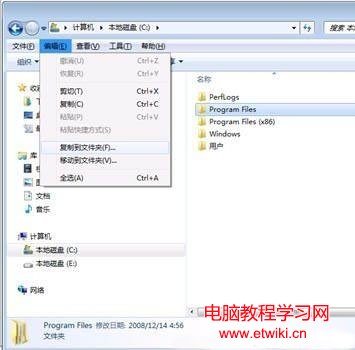
右鍵選單顯示移至複製至
登錄 ContextMenuHandlers 新增項目

Copyright © Windows教程網 All Rights Reserved