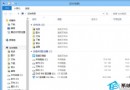
Windows 7 開機進入桌面前黑畫面彈出「explorer.exe 無法啟動,找不到 uxtheme.dll」,主因為主題系統檔案 uxtheme.dll 遺失/損毀/版本不符。透過 SFC 修復系統檔案並手動替換 DLL 可解決。
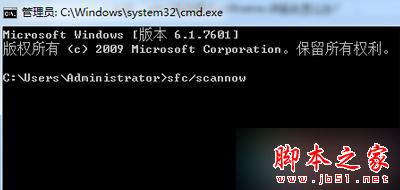
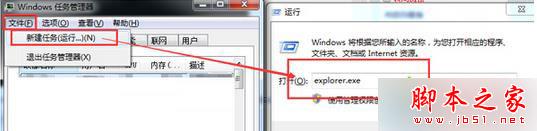
cmd → 執行:sfc /scannowexplorer.exe → 確定 (暫時恢復桌面操作)。uxtheme.dll (請從可信來源獲取,如同版本 Win7 系統 C:\Windows\System32\ 或 Microsoft 官方符號伺服器) → 解壓縮。C:\Windows\System32\uxtheme.dll 重命名為 uxtheme.dll.bak (備份)。uxtheme.dll 至 C:\Windows\System32\。explorer.exe → 右鍵 → 「結束工作」。del C:\Windows\System32\uxtheme.dllren C:\Windows\System32\uxtheme.dll.bak uxtheme.dll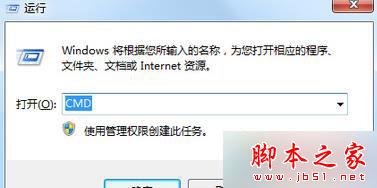
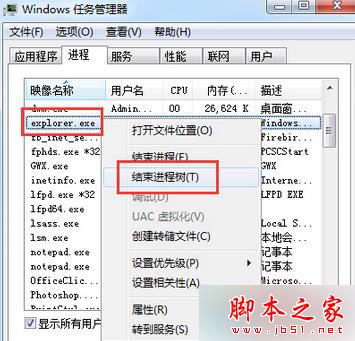
0xC000007B重複步驟 7-8 (結束 explorer、刪除/重命名 DLL) 再重開機,通常可修正 DLL 載入順序問題。
uxtheme.dll 為 Windows 視覺樣式引擎核心元件,負責載入 .msstyles 主題檔案。第三方主題修改工具 (如 UxStyle、UltraUXThemePatcher) 會修補此檔案以支援未簽名主題,若修補失敗/版本不符即導致 explorer 啟動失敗。建議使用官方主題或數位簽名主題。