Windows XP Windows 7 Windows 2003 Windows Vista Windows 綜合教學 Linux 系統教學
Windows 10 Windows 8 Windows 2008 Windows NT Windows Server 電腦軟體教學
您现在的位置: Windows教程網 >> Windows教程 >  >> Windows 綜合教學 >> 關於 Windows

Win10 滑鼠右鍵移除「圖形屬性」與「圖形選項」教學:登錄表一鍵淨化

編輯:關於 Windows

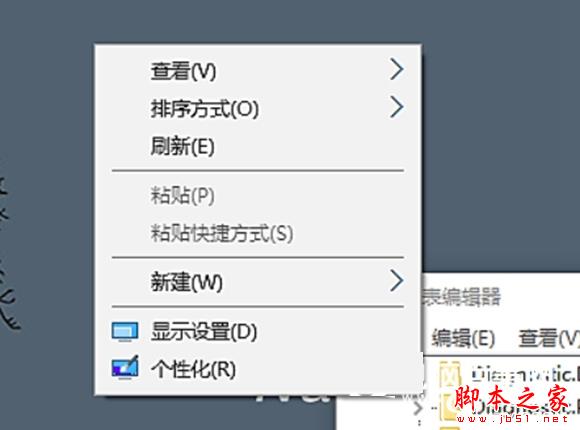
Intel 顯示晶片驅動程式安裝後,桌面右鍵選單會新增「圖形屬性」與「圖形選項」兩個選項,佔據空間且鮮少使用。透過修改登錄表即可隱藏,適用於 Win10/8.1/7。
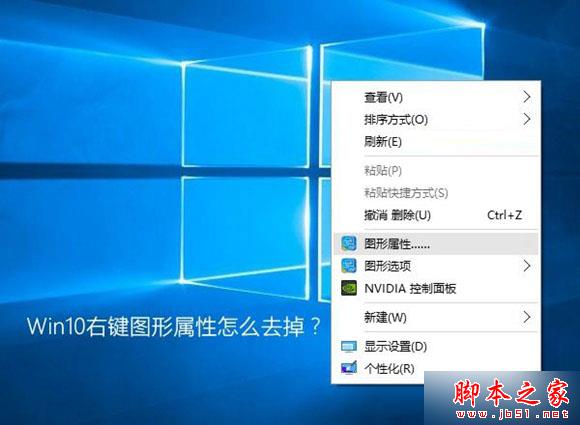
操作步驟

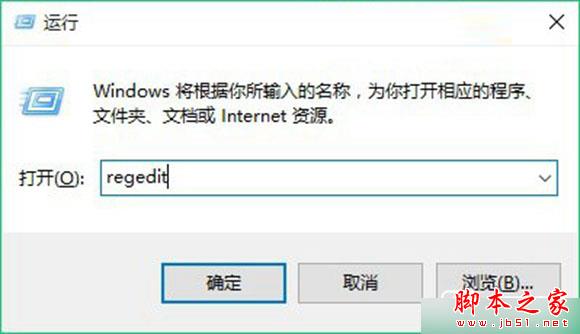
  1. 按 Win + R → 輸入 regedit → 按 Enter 開啟登錄表編輯器。
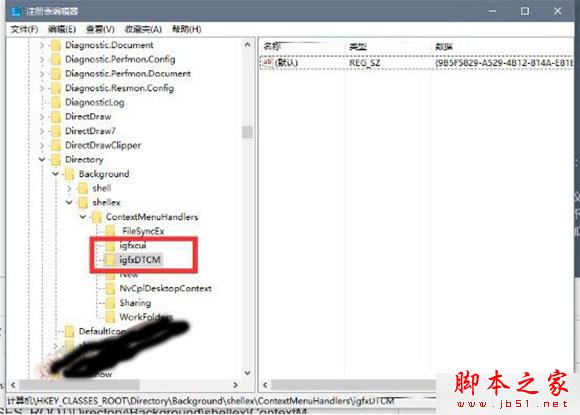
  2. 依序展開以下路徑:
HKEY_CLASSES_ROOT\Directory\Background\shellex\ContextMenuHandlers
  1. 在右側窗格找到 igfxDTCM 鍵值,右鍵選擇「刪除」。
  2. 同樣刪除 igfxcui(若存在,對應「圖形選項」)。
  3. 重新啟動「Windows 檔案總管」或重新開機即可生效。

快速指令法(管理員 PowerShell)

Remove-Item "HKCR:\Directory\Background\shellex\ContextMenuHandlers\igfxDTCM" -Force
Remove-Item "HKCR:\Directory\Background\shellex\ContextMenuHandlers\igfxcui" -Force
Stop-Process -Name explorer -Force

注意事項

  • 修改登錄表前建議匯出備份該分支(右鍵 → 匯出)。
  • 顯示驅動程式更新後可能重新寫入此鍵值,需再次刪除。
  • 若使用 NVIDIA/AMD 顯示卡,右鍵選單可能有對應項目(如 NvCplDesktopContext),同樣可在此處刪除。

適用範圍

Windows 10、Windows 8.1、Windows 7(含 32/64 位元)。

Copyright © Windows教程網 All Rights Reserved