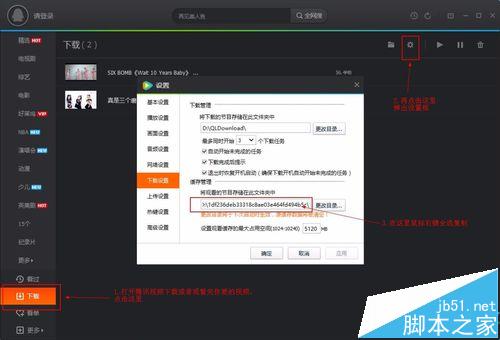
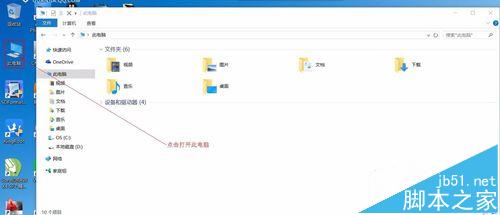
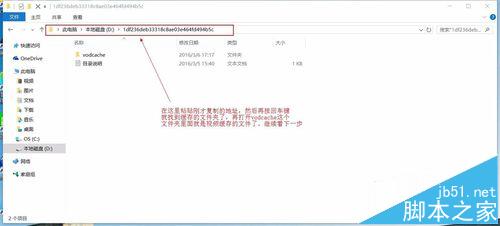
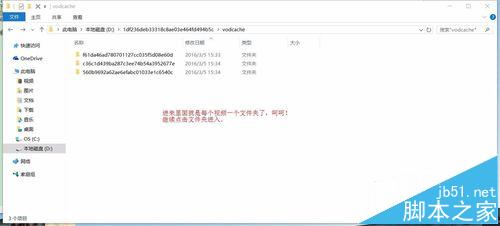
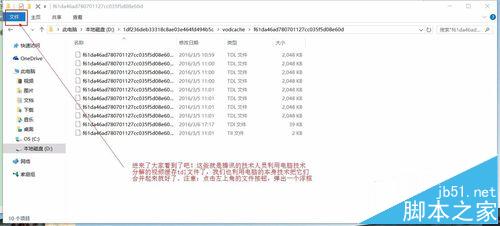
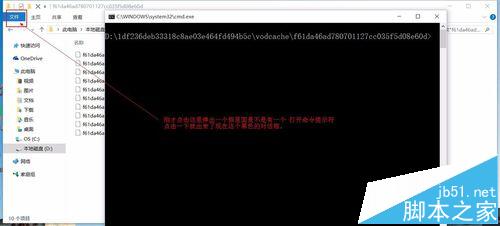
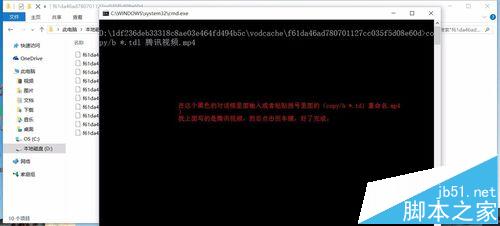
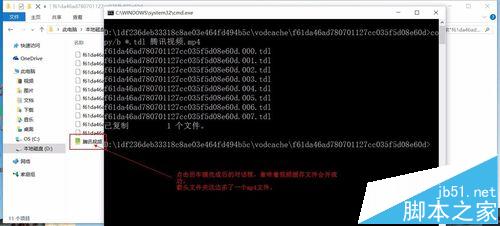
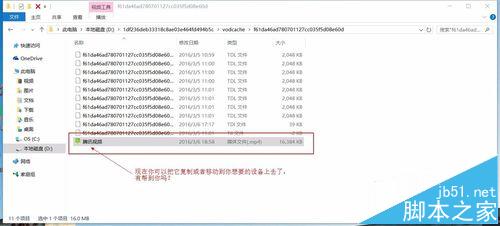
騰訊視頻 QLV 實為加密分片,Win10 內建指令可合併轉 MP4:
.tdl
copy /b *.tdl 影片名稱.mp4
原理:copy /b 以二進位模式逐位元合併分片,QLV 容器本質為 MP4 串流分段,合併後即為標準 MP4。僅適用於同一影片的分片合併,跨影片合併會損壞檔案。
copy /b
Win10 TH2 累積更新 KB3116908 安裝教學與失敗排除
Win10 重設所有資料夾檢視為預設值 透過刪除登錄 Bags 索引鍵統一外觀
XP 重開機後 D 槽消失?三大可能原因與對應找回策略
Win10 家用版/專業版升級企業版:更改產品金鑰 → 開始升級 圖文教學
Win10 TH2 首個重大更新普遍 Bug:開機進入兩次啟動畫面導致速度變慢
Win7 系統檔案遺失導致驅動安裝失敗?完整解決教學
Win8/8.1 取得 SYSTEM 權限刪除頑固檔案:從 TrustedInstaller 降權至 Everyone 的完整操作
Windows 隱藏重要檔案與資料夾的完整圖文教學