Win10 內建行事曆支援農曆顯示,設定方法:
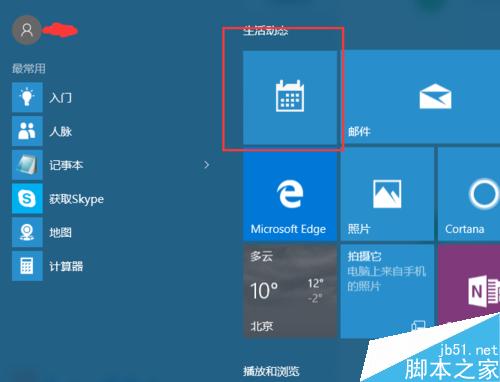
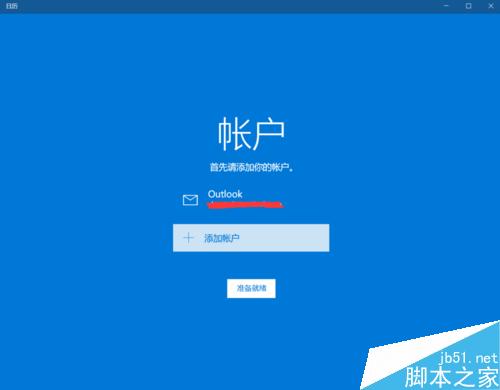
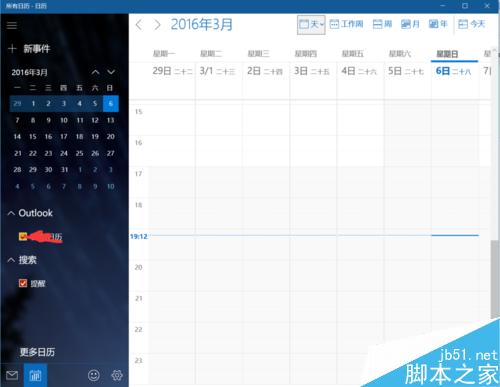
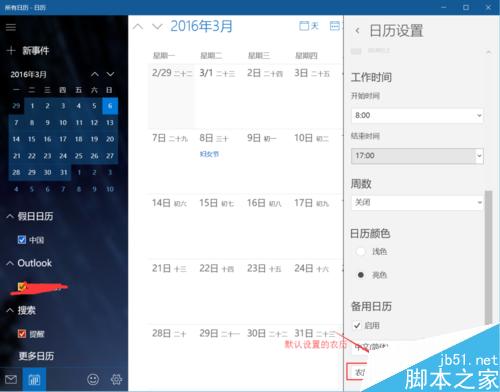
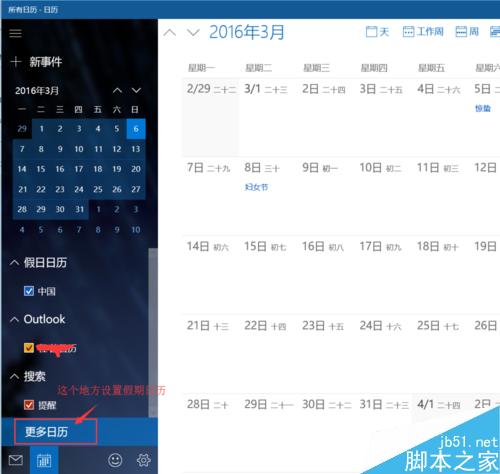
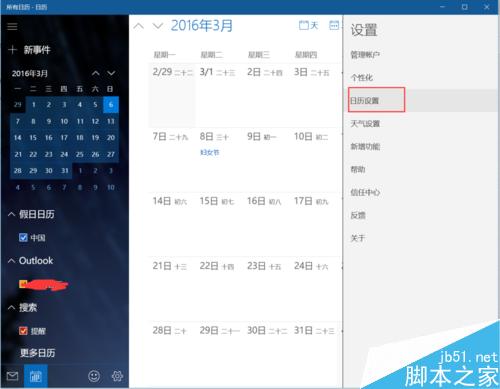
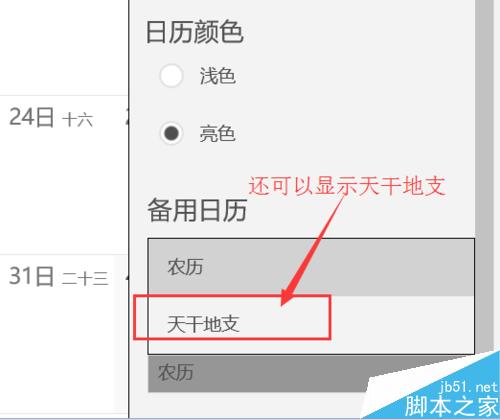
小缺陷:初次進入時陰曆不顯示,切換選項後即正常;若再次切回「陰曆」選單中可能消失,屬介面 Bug,不影響實際顯示。
Win10 如何設定檔案預設開啟方式?右鍵選擇「選擇其他應用程式」並勾選預設即可
Win10 首次提供免費升級!七大新變革一覽:多平台同步、Cortana、Spartan、Xbox 整合
Windows 9 還叫 Windows 9 嗎?版本號消失、命名變數與 Windows 365 願景
Win10 Edge 瀏覽器下載亂碼解決:組策略強制設置 User-Agent 為 MSIE 9.0
Windows 系統下 USB 隨身碟圖示正常但無法開啟?掃描修復檔案系統錯誤、群組原則解除存取限制
Win10 計算機 App 閃退修復:啟動 Windows License Manager Service 服務