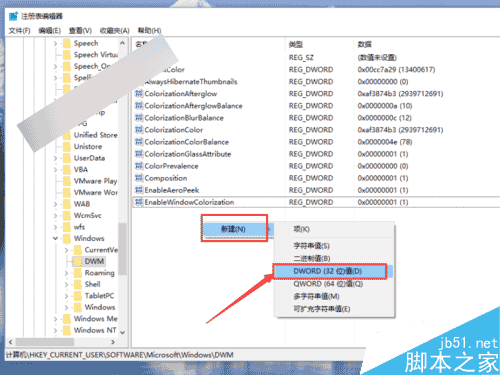
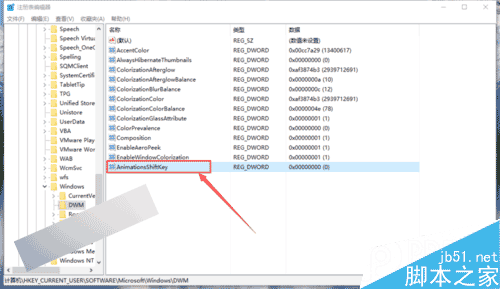
Win10 內建視窗動畫速度較快,可透過登錄修改啟用慢動作模式:
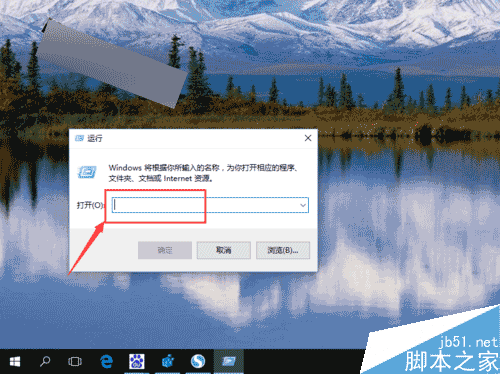
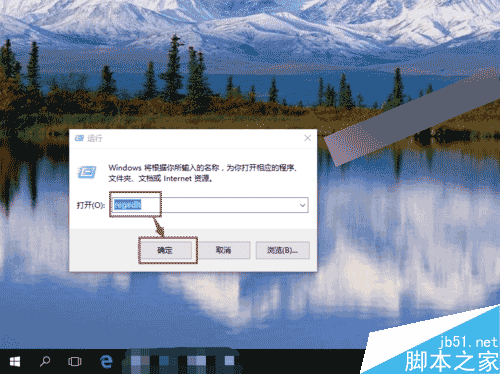
regedit
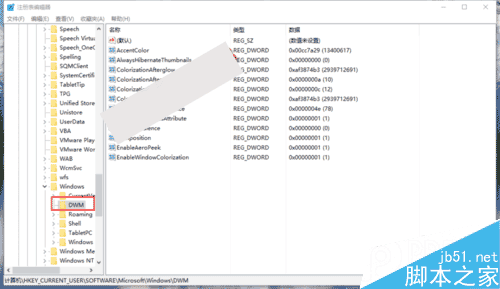
HKEY_CURRENT_USER\Software\Microsoft\Windows\DWM
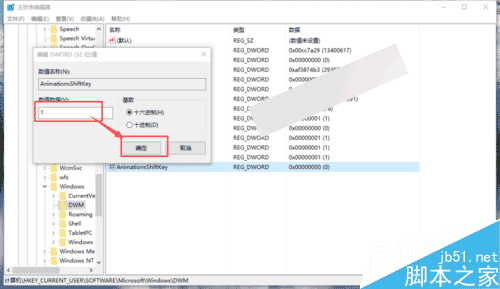
AnimationShiftKey
1
設定完成重開機後,視窗動畫將以慢動作播放。
Win7 工作列設定搞錯怎麼辦?一鍵還原預設值解決排版亂象
Windows 7 如何在同一視窗開啟多個資料夾?兩大解決方案輕鬆搞定
Windows 10 正式版永久啟用完整圖文教學
Win10 正式版 Cortana 完整設定與使用教學:語音搜尋、提醒、隱私管理
Win7 重裝系統遭遇斷電怎麼辦?錯誤提示「計算機意外重啟」完美解決教程
Win7/Win8.1 升級 Win10 失敗 (32%、錯誤代碼 0xC1900101-0x30018) 完整解決方案
Win10 內建應用商店預裝 App 怎麼批次刪除?PowerShell 一鍵指令教學
Win10 PPT2010 如何隱藏/顯示功能區?右鍵最小化或標題列按鈕切換