Win7 工作列預設高度固定,開啟多視窗時只能疊成單排縮圖。透過登錄新增 MinThumbSizePx 值,即可調整工作列高度,讓多排標籤同時顯示,方便視窗切換。
設定步驟
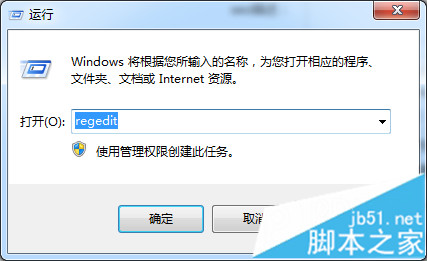
- 按 Win+R 輸入
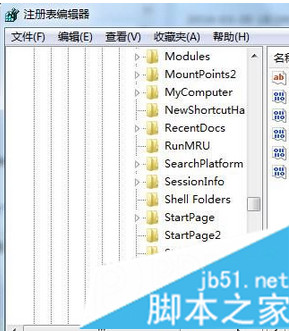
regedit 開啟登錄編輯器。
- 瀏覽至:
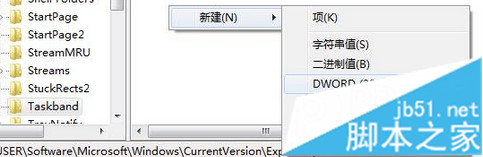
HKEY_CURRENT_USER\Software\Microsoft\Windows\CurrentVersion\Explorer\Taskband
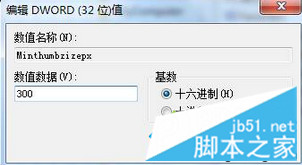
- 右鍵空白處 → 「新增」→「DWORD (32 位元) 值」,命名為 MinThumbSizePx。
- 雙擊修改數值資料為 300 (十進位),按確定。
- 登出或重開機生效,工作列高度變高,可顯示兩排甚至更多縮圖標籤。
調整建議
- 數值越大工作列越高,可依螢幕解析度與習慣微調 (200~400 之間常見)。
- 若工作列鎖定,請先解除鎖定再登出登入。