重灌 Win7 後,開啟內建「剪取工具」卻跳出「剪取工具目前未在電腦上執行,請重新啟動電腦再試一次」,重開機也無效。這通常是系統檔 tpcps.dll 與 InkObj.dll 遺失或未註冊導致。以下提供完整修復流程。
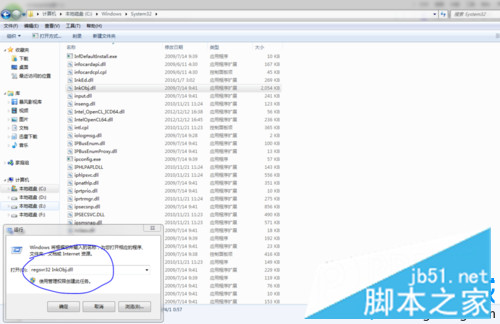
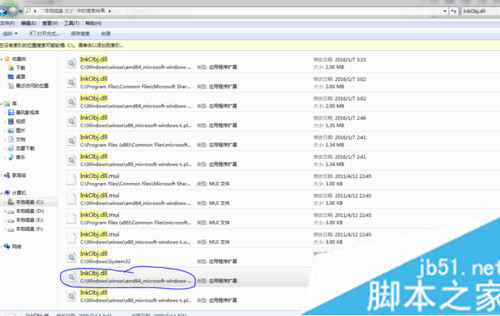
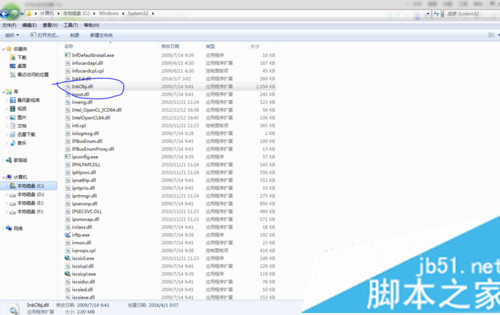
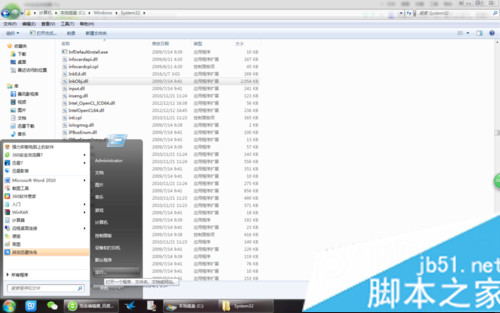
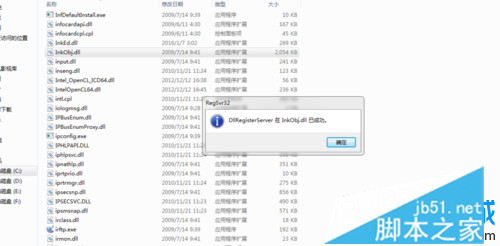
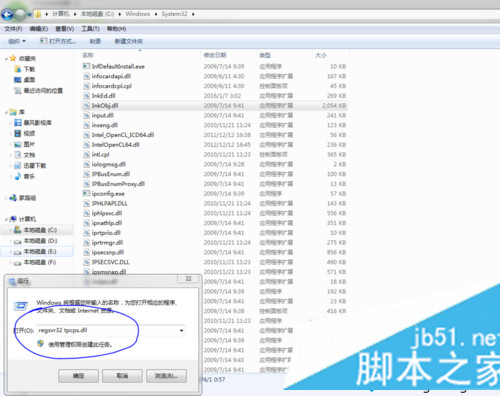
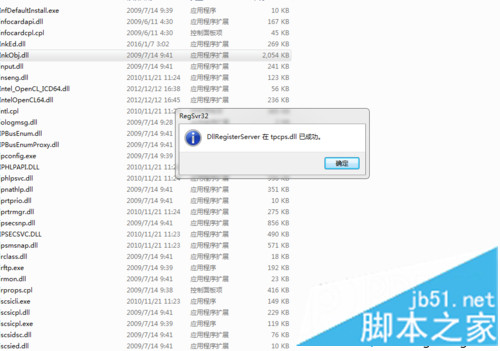
tpcps.dll,找到檔案大小最大的那一個,複製到 C:\Windows\System32。InkObj.dll,複製最大檔到 C:\Windows\System32。regsvr32 InkObj.dll 按 Enter,彈出成功視窗點確定。regsvr32 tpcps.dll 註冊,同樣確認成功。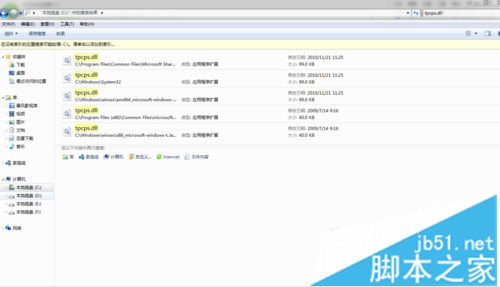
sfc /scannow 修復系統檔案。Win10 無法輸入中文?重啟 ctfmon、啟用 TextServicesFramework 任務、改用微軟輸入法、複製貼上四大解法
Windows 7/8.1 持續彈出免費升級 Windows 10 通知怎麼關閉?卸載 KB3035583 更新即可
Win10 常見疑難雜症解決大全:開始選單/Cortana 罷工、Edge 閃退、內建應用無權限開啟、註冊表修復 FilterAdministratorToken
如何找回 Win8/Win8.1 網頁與應用程式儲存的密碼 (認證管理員)
Win10 預覽版解析度無法調整?透過 Windows Update 安裝顯卡驅動即可解決
Windows 8 升級後刪除 Windows.old 資料夾釋放 C 槽空間
Windows 7 筆電將驅動程式自動安裝改為手動模式:裝置安裝設定勾選「絕不從 Windows Update 安裝驅動程式」