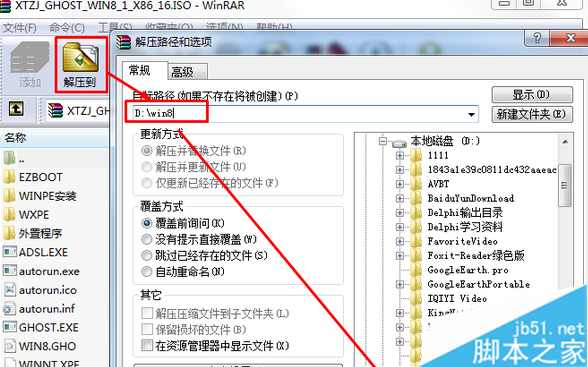
下載 Win8.1 ISO → 解壓至非 C 槽根目錄(如 D:\Win8\)→ 雙擊解壓出的 OneKey Ghost/系統安裝.exe → 選「還原系統」→ 選 Win8.GHO(通常自動抓取)→ 選 C 槽 → 確定(先備份 C 槽重要資料)→ 電腦重啟自動進入還原流程 → 全自動完成安裝 → 檢查驅動軟體即可使用。
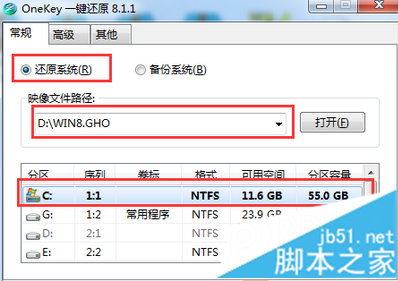
想還原 Win7 同理,只需換 Win7 GHO 鏡像。重啟過程勿按鍵盤干擾。
Win10 開啟新舊版使用者帳戶管理:設定 App 新介面 vs 控制台舊介面雙軌並存
Windows Server 2003 IIS 新增 FLV MIME 類型支援線上影片播放
Windows 8 解決 System 進程磁碟佔用 100% 完整教學:四大核心優化步驟
Windows 8.1 關閉 Windows Defender 教學:群組原則一鍵停用內建防毒
Win10 Build 9926 開啟 Aero 透明特效:Aero Glass Tweaker + Classic Shell 雙工具法
Win10 徹底移除/隱藏內建輸入法兩法:語言設定移除、輸入法管理器取消勾選