Win10 本地磁碟圖示疊加兩個小人,代表該磁碟已啟用「共用」。取消共用即可移除小人圖示。
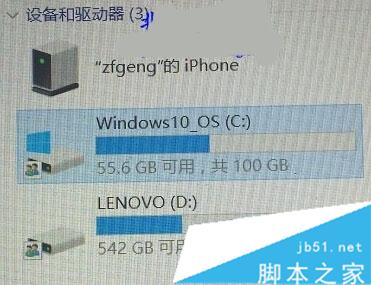
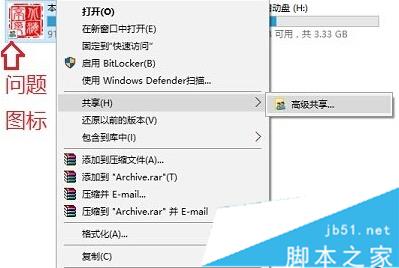
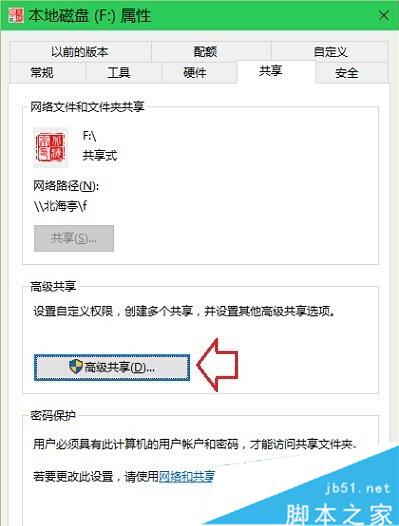
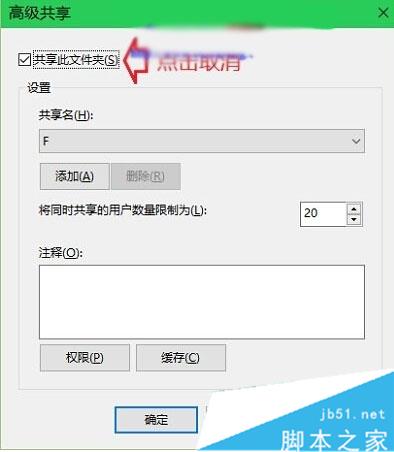
注意: 取消共用後,其他電腦將無法存取此磁碟檔案。更多 Win10 網路共用管理請關注本站!
Win10創造者更新15002快速預覽版今日推送:OOBE/Edge/開始菜單/設置/輸入法全維度升級
Windows 10 該不該移除 Internet Explorer?Edge 瀏覽器能否完全取代?
Win10 變更應用程式安裝位置教學:設定介面與登錄表兩種方法
Win10 正式版如何設定麥克風 (語音辨識)?Windows Hello 語音設定教學
Windows 7 使用 SFC 指令修復損毀系統檔案:完整掃描與細節日誌查看教學
Windows 8.1 升級 Windows 10 技術預覽版 9841 顯示未啟用 錯誤 0xc004fc03 解決方案:重置網路元件與元件存儲修復