Windows XP Windows 7 Windows 2003 Windows Vista Windows 綜合教學 Linux 系統教學
Windows 10 Windows 8 Windows 2008 Windows NT Windows Server 電腦軟體教學
您现在的位置: Windows教程網 >> Windows教程 >  >> Windows 綜合教學 >> 關於 Windows

WinXP 寫字板無法開啟解決:修復 Accessories 資料夾與匯入登錄

編輯:關於 Windows

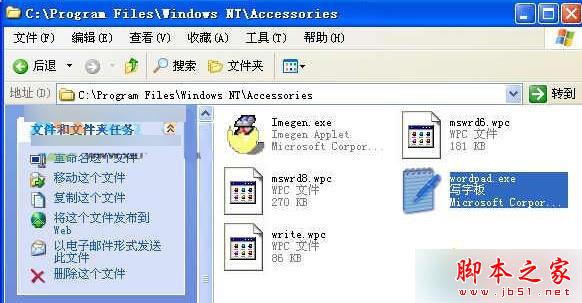
WinXP 執行「寫字板」無反應或提示找不到程式,通常因 C:\Program Files\Windows NT\Accessories 資料夾遺失或損毀,且登錄檔關聯缺失所致。

解決步驟

  1. 確認上述資料夾是否存在且包含 wordpad.exe 等檔案。若缺失,從相同版本 WinXP 電腦複製整個 Accessories 資料夾覆蓋。
  2. 下載並匯入「寫字板登錄修復檔」(.reg),修復檔案關聯與啟動路徑。

Accessories 資料夾內容

替代開啟方式

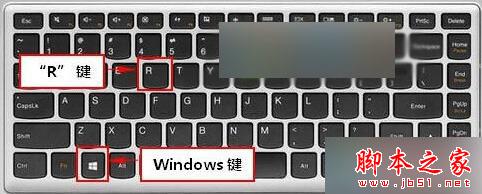
  1. Win+R 開啟「執行」。
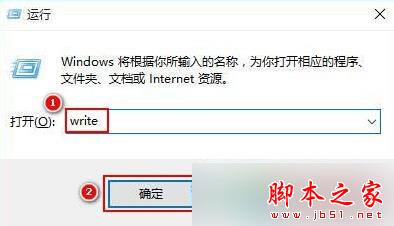
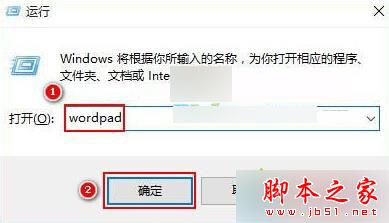
  2. 輸入 write 或 wordpad → 「確定」。
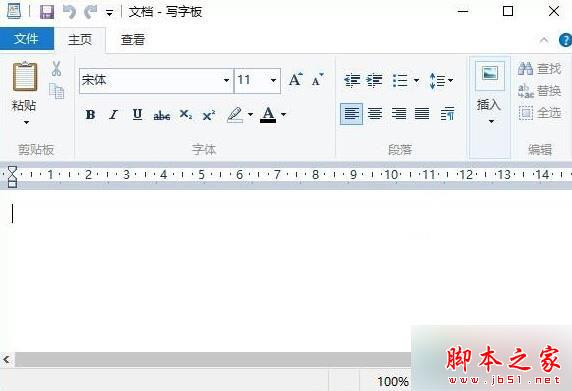
  3. 即可啟動寫字板程式。

執行視窗

輸入 write

輸入 wordpad

寫字板介面

補充說明

若系統檔案大量損毀,建議執行 sfc /scannow 修復系統檔案,或考慮升級至支援中的作業系統(WinXP 已停止更新,存在安全風險)。

Copyright © Windows教程網 All Rights Reserved