Windows 7 下 360 瀏覽器無法開啟網頁,常見原因:程式損壞、防火牆/殺毒軟體攔截、網路異常。依序嘗試重裝瀏覽器、還原防火牆預設規則、調整殺毒軟體信任名單即可解決。
排查步驟
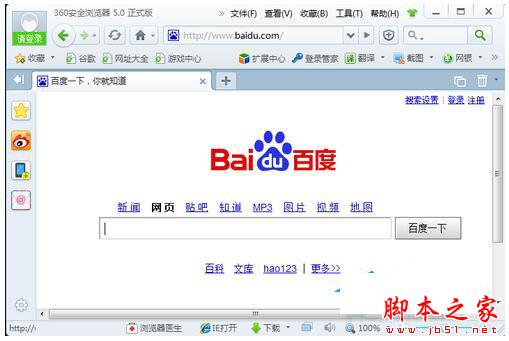
- 下載最新版 360 瀏覽器安裝包 → 解除安裝舊版 → 重新安裝測試。
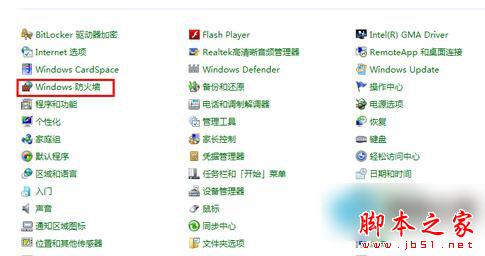
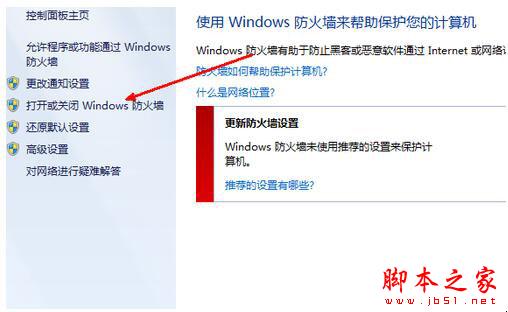
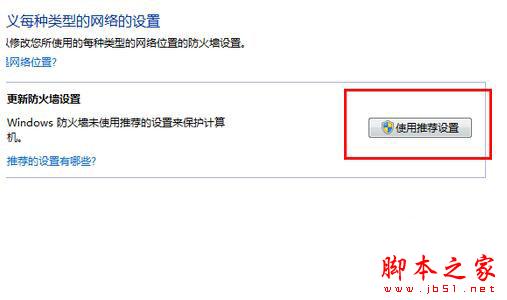
- 若瀏覽器能開啟但無法顯示網頁:控制台 → Windows 防火牆 → 開啟或關閉 Windows 防火牆 → 選擇 使用建議設定 (還原預設) → 確定。
- 檢查安裝的殺毒軟體 (如 360 安全衛士、卡巴斯基等) 的網路防護/防火牆模組,將 360 瀏覽器加入信任/白名單,或暫時關閉網路防護測試。

若以上均無效,嘗試 netsh winsock reset 重置網路協議、更換 DNS (如 114.114.114.114 / 8.8.8.8)、或改用 Chrome/Edge 等主流瀏覽器。