Windows 7 點擊 .txt 檔案無反應或跳出選擇程式,代表檔案關聯遺失。透過命令提示字元執行 assoc .txt=txtfile 即可一鍵恢復預設關聯。
cmd 開啟命令提示字元。assoc .txt=txtfile (注意 assoc 後有空格) → 按 Enter。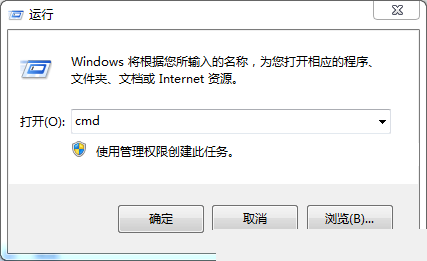
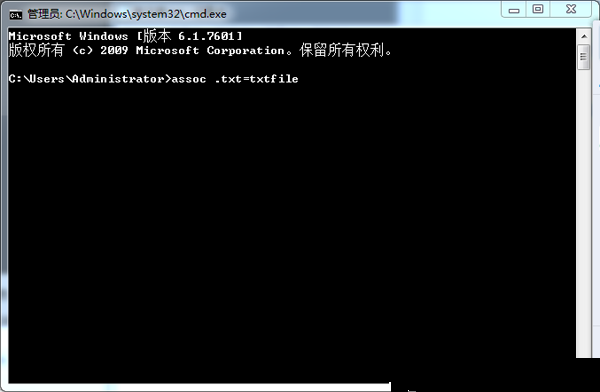
同理可修復其他副檔名關聯 (如 assoc .html=htmlfile)。若大量關聯錯亂,建議執行 sfc /scannow 修復系統檔案或建立新使用者帳戶。
Win10 更新報錯 0x80070422 再報 0x8024001e?啟用 Windows Update 服務即時修復
Windows 10 啟用隱藏登入介面圖文教程:登錄修改 Threshold=1 顯示圓形頭像鎖定畫面
微軟 2015 年 8 月安全更新彙總:14 修補程式涵蓋 Win10/8.1/7、Office、Silverlight、Flash
Win10 聲卡、無線網卡驅動異常?手動選擇內建驅動解決衝突
XP 系統能上 QQ 卻開不了網頁?DNS 錯誤、Proxy 設定、病毒、IE 損壞、防火牆五大原因完整排查