Windows XP Windows 7 Windows 2003 Windows Vista Windows 綜合教學 Linux 系統教學
Windows 10 Windows 8 Windows 2008 Windows NT Windows Server 電腦軟體教學
您现在的位置: Windows教程網 >> Windows教程 >  >> Windows 綜合教學 >> 關於 Windows

Win7 移除右下角「操作中心」小旗子圖示?本地群組原則一鍵隱藏

編輯:關於 Windows

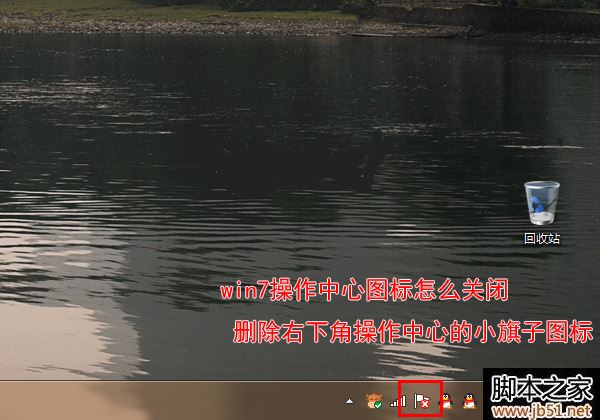
覺得 Windows 7 工作列右下角的「操作中心」小旗子圖示礙眼且無用?透過 gpedit.msc 本地群組原則即可永久隱藏,無需修改登錄檔。

操作步驟

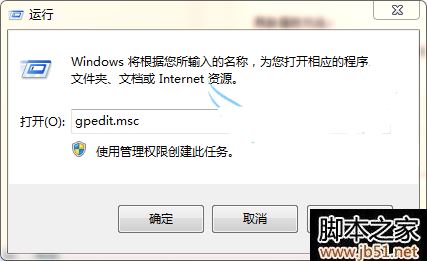
  1. 按 Win+R 輸入 gpedit.msc 開啟本地群組原則編輯器。
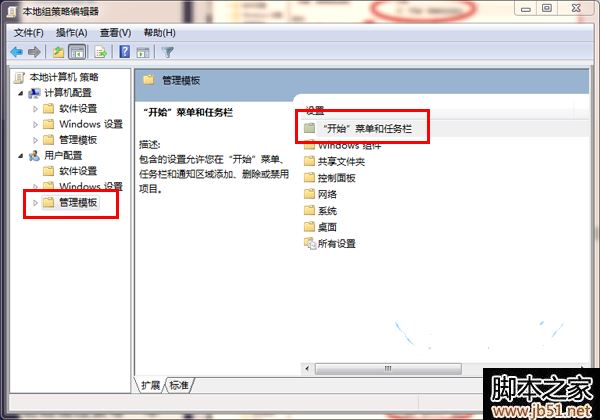
  2. 依序展開:使用者設定 → 系統管理範本 → 開始功能表和工作列。
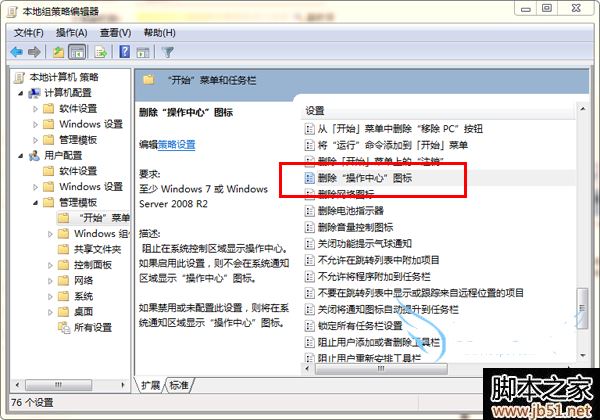
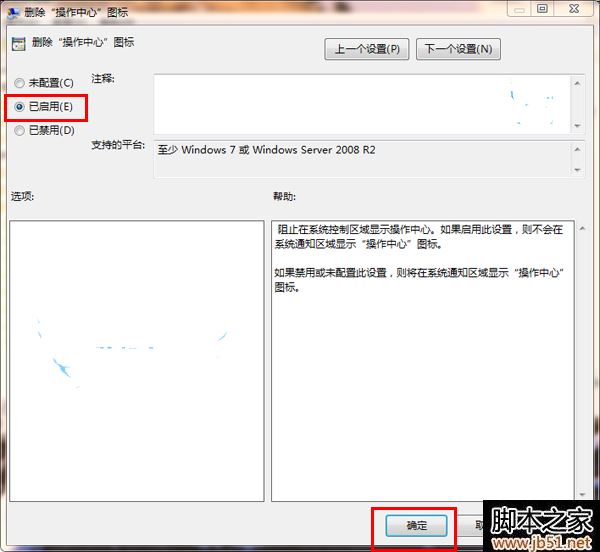
  3. 在右側清單找到 移除「操作中心」圖示,雙擊開啟。
  4. 選擇 已啟用 → 確定。
  5. 重新開機或重新登入,小旗子圖示即消失。

補充:此功能需 Windows 7 專業版/企業版/旗艦版支援(家用版無 gpedit.msc),家用版可透過修改登錄檔 HKEY_CURRENT_USER\Software\Microsoft\Windows\CurrentVersion\Policies\Explorer 新增 DWORD HideSCAHealth = 1 達成相同效果。

Copyright © Windows教程網 All Rights Reserved