Windows XP Windows 7 Windows 2003 Windows Vista Windows 綜合教學 Linux 系統教學
Windows 10 Windows 8 Windows 2008 Windows NT Windows Server 電腦軟體教學
您现在的位置: Windows教程網 >> Windows教程 >  >> Windows 綜合教學 >> 關於 Windows

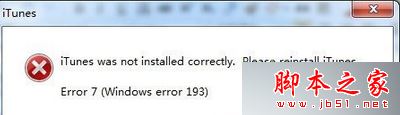
Win7 開啟 iTunes 提示「iTunes was not installed correctly」三大解決方案

編輯:關於 Windows

Win7 執行 iTunes 跳出 「iTunes was not installed correctly. Please reinstall iTunes. Error 7 (Windows error 127)」,主因通常是安裝檔損毀、元件遺失或與第三方手機管理軟體(如 91 助手)衝突。提供三種遞進式解決方案。

方案一:完整移除重裝(最徹底)

  1. 控制台 → 「程式和功能」→ 依序移除 iTunes 與 QuickTime。
  2. 重新安裝時,若防毒軟體攔截啟動項修改,全部選擇「允許」。
  3. 安裝完成自動啟動 iTunes,再連接 iPod/iPhone 測試。

方案二:移除衝突軟體後重裝

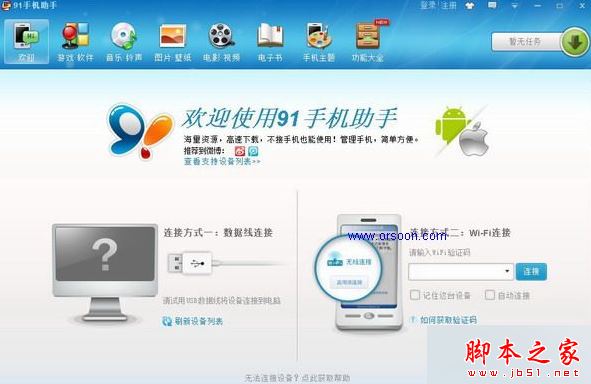
若方案一無效,常因 91 手機助手 等第三方工具佔用 Apple Mobile Device Service 衝突。
操作:移除 91 助手 → 重裝 iTunes 並確認裝置偵測正常 → 再重裝 91 助手。
方案三:修復 Apple Mobile Device Service(進階)

服務中確認 Apple Mobile Device Service 為「自動」且已「啟動」;若損壞需透過 Apple 官方移除工具 AppleMobileDeviceSupport64.msi 修復。

相關閱讀

  • Win7 無法開啟 iTunes 兩種解決方法
  • Win7 安裝 iTunes 失敗彈出「apple mobile device service」警示解決

依序嘗試上述方案,多數情況可在方案一或二解決。建議安裝 iTunes 前關閉防毒軟體即時掃描,減少干擾。

Copyright © Windows教程網 All Rights Reserved