Windows 7 64 位元系統中,嘗試開啟「區域連線」屬性時彈出「網路連線發生未預期錯誤」,通常是因為網路相關的動態連結庫(DLL)檔案註冊失效或損毀。本文提供標準修復指令流程。
核心網路元件 netshell.dll、netcfgx.dll、netman.dll、ole32.dll 等動態連結庫註冊資訊遺失或損毀,導致網路設定介面無法正常載入。
regsvr32 netshell.dll 按 Enter。regsvr32 netcfgx.dll regsvr32 netshell.dll regsvr32 netman.dll regsvr32 ole32.dll
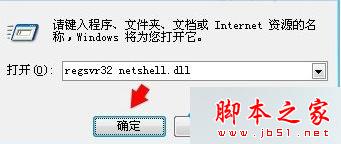
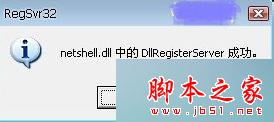
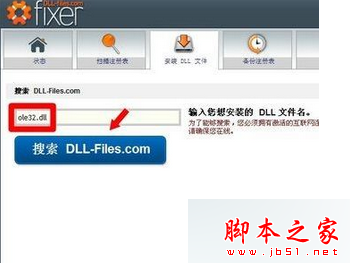
若執行過程中某個指令回報錯誤,表示該 DLL 檔案本身損毀。此時可下載系統修復工具(如 fixer 或使用 sfc /scannow 系統檔案檢查程式)進行修復,或從同版本健康系統複製對應檔案覆蓋 C:\Windows\System32 目錄下的檔案。
完成所有指令註冊後,重新開機,再次嘗試開啟「網路連線」→「區域連線」右鍵「屬性」,應可正常進入 TCP/IPv4 等設定頁面進行 IP 位址配置。