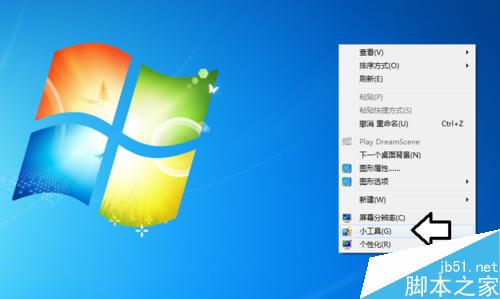
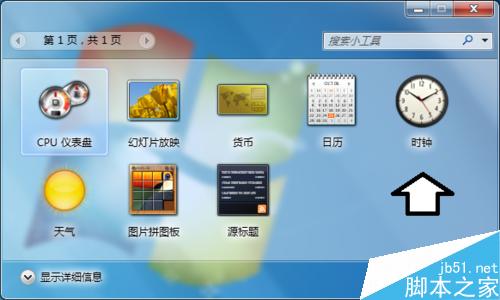
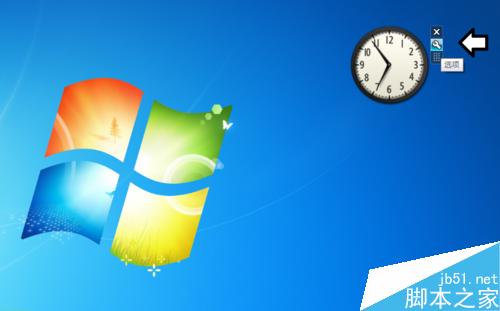
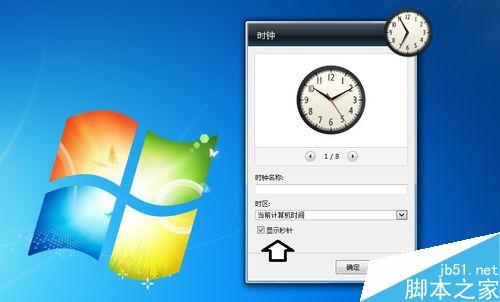
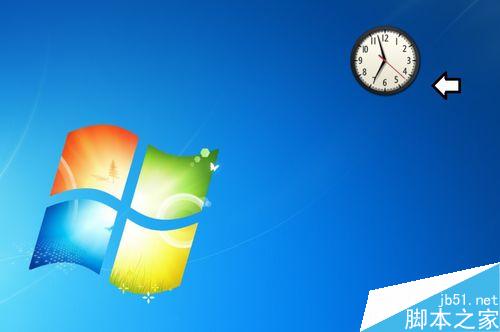
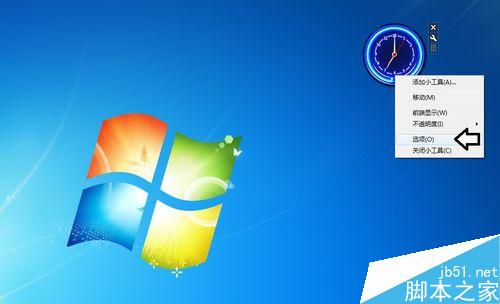
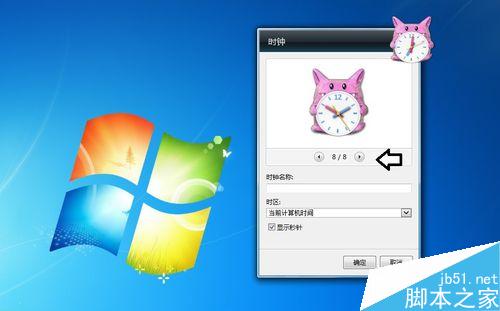
Win7 內建桌面小工具含「時鐘」,可顯示秒針,操作如下:
不想用小工具時,右鍵小工具 →「關閉小工具」即可移除。
桌機風扇噪音大解決:清灰、上油、動平衡修正、墊鋁片減震完整維修教學
Win10 如何登入 Microsoft 帳戶?從註冊到切換帳戶類型完整圖文教學
7 年前宏碁 Aspire One 上網本裝 Win10 後:比 XP 還流暢
Win10 正式版全新安裝與啟用超詳細圖文教學:製作啟動 USB、分區、安裝、CMD 永久啟用
Win7 不小心刪除 Taskmgr.exe 導致工作管理員無法開啟?SFC 掃描修復教學
Win7 64 位元雙擊所有程式提示「找不到關聯程式」?匯入登錄檔修復 .exe 關聯教學
喬北峰確認:Win10 Mobile 主要功能已完成,仍將持續增加新特性
Win8/8.1 內建 Hyper-V 虛擬機安裝完整圖文教學