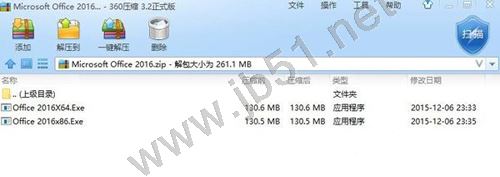
Win10 內建不支援 RAR 格式解壓縮,安裝第三方壓縮軟體即可。推薦 360 壓縮:免費、無廣告、支援 RAR/ZIP/7z 等主流格式。
亦可選擇 WinRAR、7-Zip、Bandizip 等其他優秀壓縮工具。
WinXP 縮圖不顯示檔名?兩招修復:Shift 鍵切換視圖、資料夾選項套用全部
Windows 10 TH2 教育版官方簡體中文鏡像下載(32位/64位)
Windows 隱藏重要檔案與資料夾的完整圖文教學
Win10 安裝 Office 2016 報錯 30068-4(1058)?ClickToRun 服務被禁用,啟用服務即可修復
Win8 設定開機自動撥號上網,將寬帶連線捷徑放入啟動資料夾實現自動聯網
Windows 8 透過群組原則禁止變更主題設定
Windows 10 正式版釋出時間確認:RTM 6 月交付 OEM,7/29 公開推送免費升級
Windows 10 預覽版如何設定多螢幕顯示?Win+P 快捷鍵與顯示卡控制台雙法