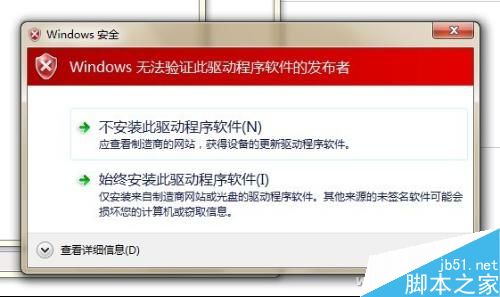
Win10 強制要求驅動程式具備數位簽章,無簽章驅動 (舊硬體、第三方驅動) 會被拒絕安裝。解法:在系統層級停用「驅動程式強制簽名」。
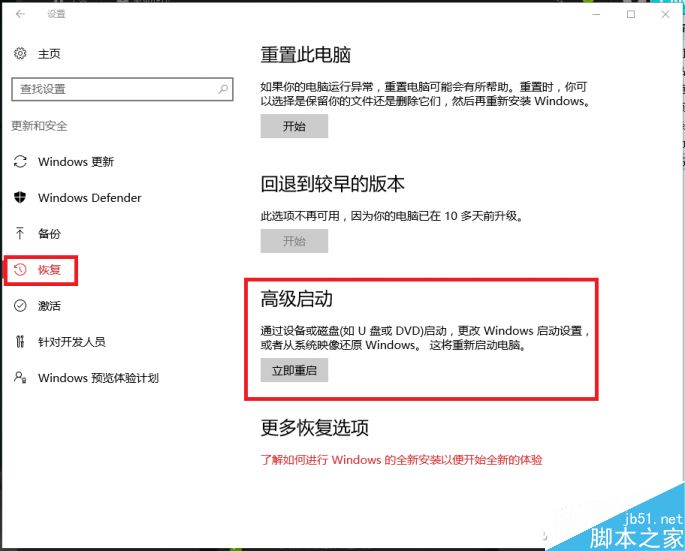
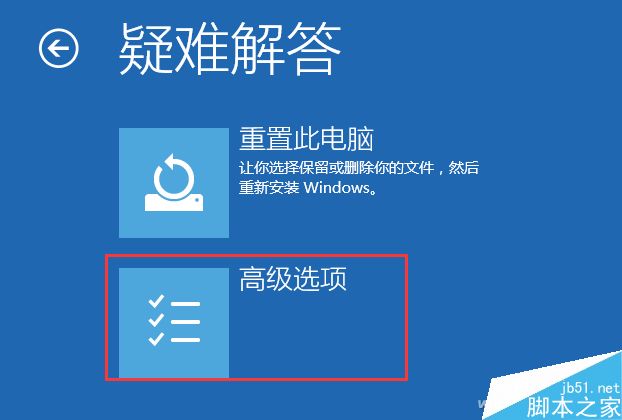
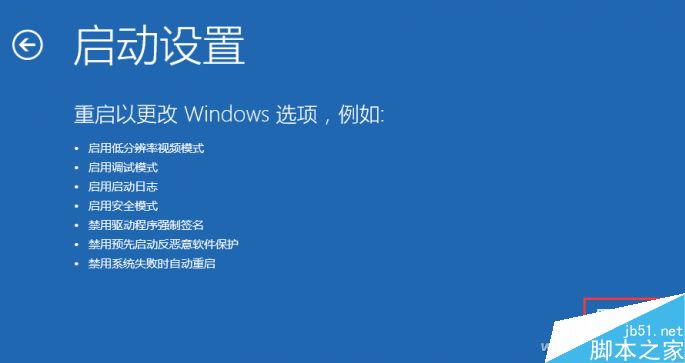
bcdedit.exe /set nointegritychecks onbcdedit.exe /set nointegritychecks off。方法二免重開機即時生效,適合不想進入復原環境的用戶。
全新安裝 Win10 卡在「安裝程式正在啟動」?磁碟分區表轉 MBR 即可解決
Windows 8 如何安裝媒體中心?使用產品金鑰免費添加功能
Windows 10 鎖定畫面背景圖片更換教學:內建圖片或自訂本地相片
Windows 7 解決頻繁斷網:更新網卡驅動與關閉 IPv6 兩招制勝
Win10 整合 Xbox 音樂與 OneDrive:「音樂保險箱」讓私房歌跨裝置同步播放
Win10 升級提示 peckp.sys 不兼容?三步徹底解決
Windows 10 TH2 官方 MSDN 原版 ISO 系統鏡像下載大全(1511/10586):含家庭/專業/企業/教育版、語言包、SHA1 校驗碼完整列表