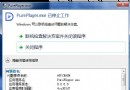
Windows Ink 是觸控筆與觸控螢幕的管理應用。若裝置無觸控功能,開啟它只會白白佔用資源。以下為徹底關閉方法:
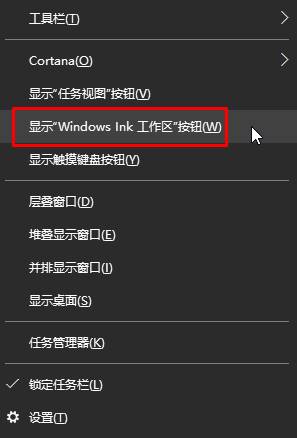
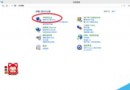
右鍵任務列 → 取消勾選「顯示 Windows Ink 工作區按鈕」。
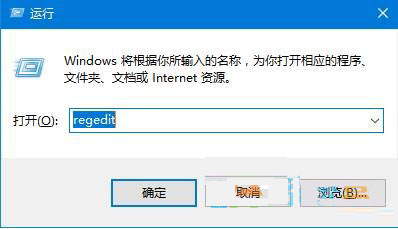
regedit
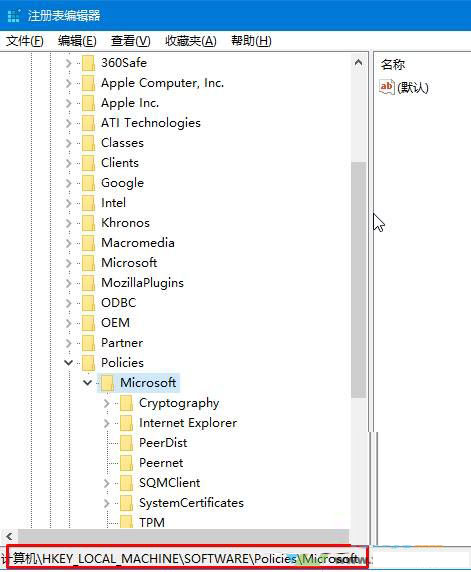
HKEY_LOCAL_MACHINE\SOFTWARE\Policies\Microsoft
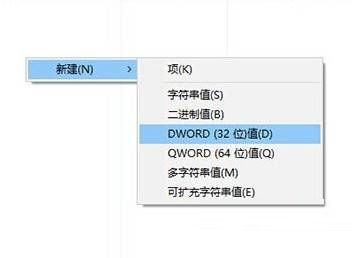
完成上述設定後,Windows Ink 功能將被永久關閉,系統資源佔用降低。
Win7 註冊表如何鎖定與解鎖?防止被錯誤修改的群組原則與註冊表雙重保護
Win7 無線網路連不上?教你排查驅動與設定問題完整解決攻略
Boot Camp 安裝 WinXP SP2 更新提示空間不足?登錄新增 Setup 字串值解決
Win10 Build 10120 Edge 瀏覽器截圖:現代感十足、新分頁整合歷史/新聞/天氣/商店應用、支援網站對應 App 連結
Windows 10 介面卡頓?關閉透明效果提升流暢度
Windows Server 2003 記錄遠端桌面登入 IP 批次檔實作
Windows 7 設定 DNS 伺服器位址完整圖文教學
Win10 Build 10130 中文版實測:介面更美、操作更順手、Bug 大幅減少