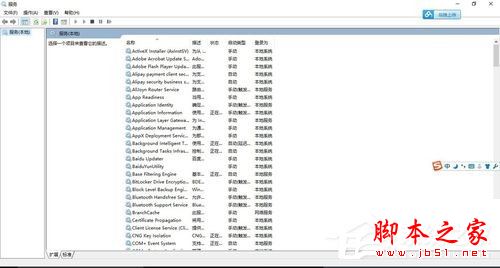
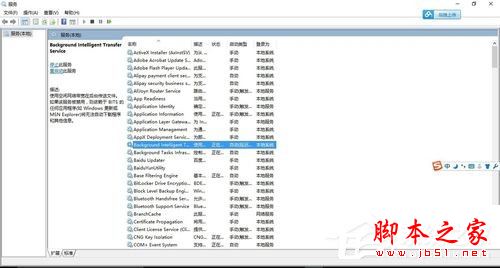
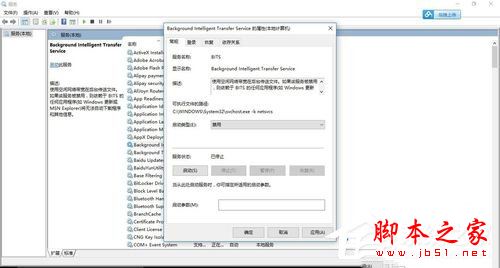
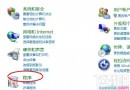
Svchost.exe 是 Windows 核心系統程序,正常情況下會自動聯網。若發現它長期佔用大量頻寬,多半是 Background Intelligent Transfer Service (BITS,智慧型傳輸背景服務) 在背景下載更新或同步資料。以下為解決步驟:
Svchost.exe
停用 BITS 後即可釋放被佔用的頻寬。注意:此服務負責 Windows Update 背景下載,停用後需手動檢查更新。
Windows 7 內建系統還原完整教學:開啟、建立還原點與還原系統
Windows 365 / Windows Cloud 傳聞:2020 年推出、完全免費、雲端作業系統
Win10 預覽版開始選單打不開?重啟 DWM 臨時解決法
Win7 無法開啟 Windows 行動中心?群組原則停用再啟用解決
Win10 Groove 音樂里程碑更新 3.6.1886.0:真正通用應用,移除 Xbox Live 依賴、本地掃描提速 10 倍
Windows XP 輸入法無法切換/圖示消失三大解決方案:ctfmon.exe 修復、語言列設定、啟動項檢查
Windows 7 優化工作列預覽速度:登錄調整縮圖顯示延遲時間
Win10 TH2 10586 可用 Win7/Win8 序號直接啟動,重裝也能激活