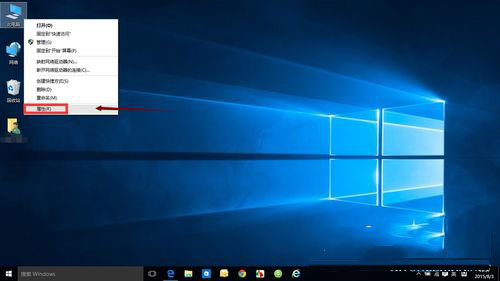
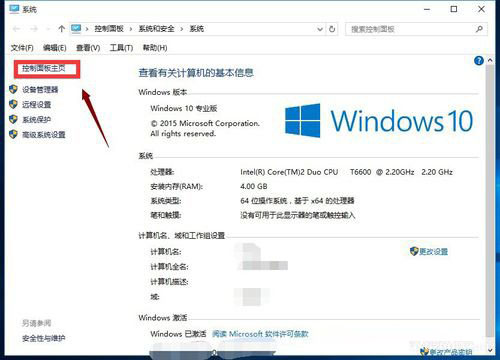
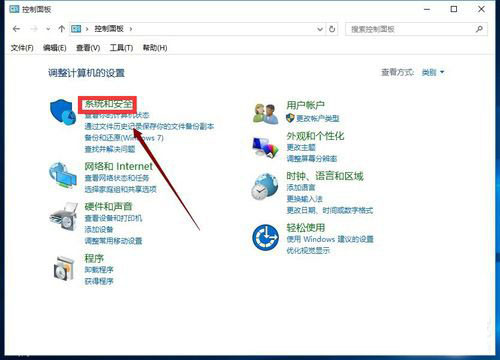
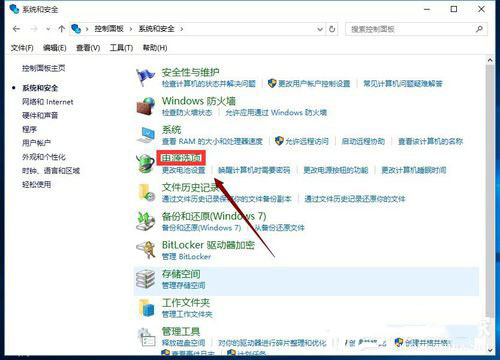
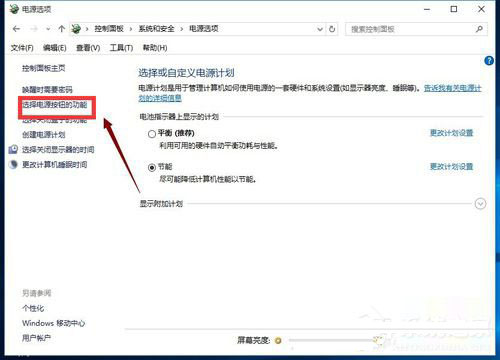
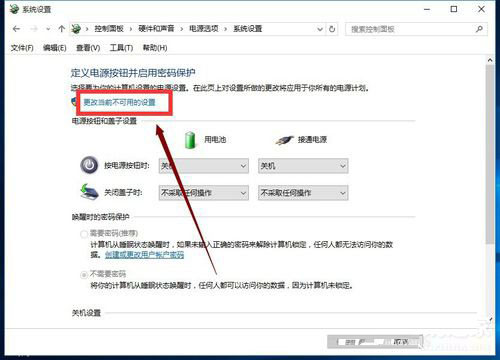
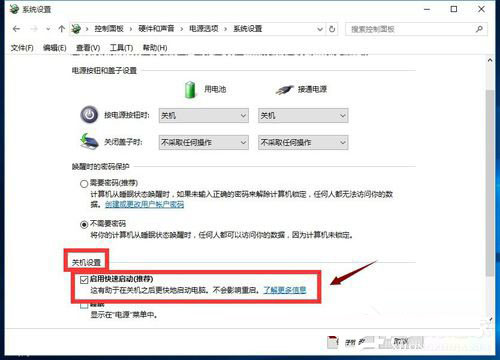
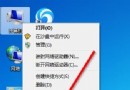
Windows 10 內建的「快速啟動」功能能顯著縮短開機時間,但不少用戶尚不清楚如何啟用。以下提供完整的步驟說明,助您輕鬆開啟此功能。
完成上述設定後,電腦下次開機將明顯加快。若找不到選項,請確認是否以管理員身分登入。
Win10 乾淨啟動完整教學:隔離第三方軟體衝突的黃金標準
Apple Watch 裝置名稱更改教學:透過 iPhone Watch App 修改
Win8 搜狗瀏覽器提示「已修改網頁以防禦跨站腳本」解決方案
Win10 虛擬記憶體設定指南:自動管理 vs 手動固定大小 (建議 1.5-3 倍實體記憶體)
Win10 安裝卡死/黑屏怎麼辦?進入 WinRE 修復環境「重置此電腦」或「回復上一版本」
Win7 玩 CS 1.6 嚴重卡頓解決方案:切換視訊模式至 D3D 或軟體渲染
Win10 Build 10135 更新日誌:Spartan 正式更名 Microsoft Edge、5 款應用更新、Bug 修復
Windows 10 Creators Update 登陸 Xbox One:內建 Beam 直播與杜比全景聲支援