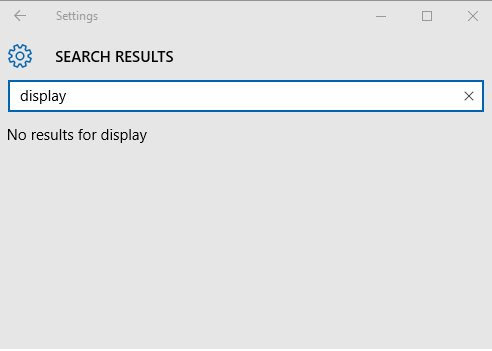
微軟向 Windows Insider 推送 Windows 10 Creators Update 預覽版 14959,對應多國語言包 (Language Pack) 已釋出。本文整理熱門語言 32/64 位元官方下載連結,含中文 (簡體/繁體)、英文 (美/英)、日文、韓文、俄文、法文、德文、義大利文、西班牙文、葡萄牙文 (巴西)。安裝方式:設定 → 時間與語言 → 語言 → 新增語言 → 選擇下載的 .cab 語言包安裝。
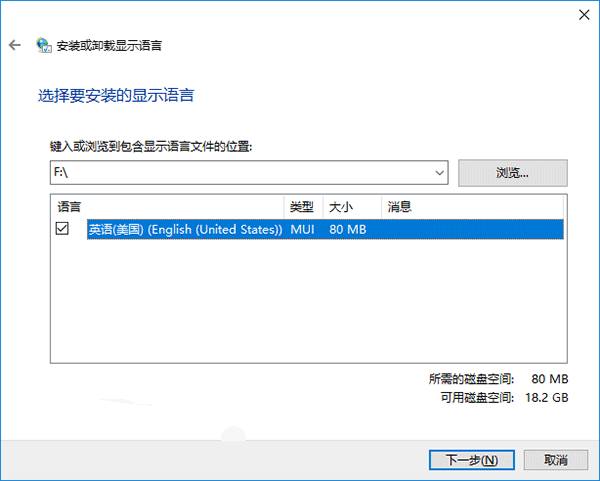
Win10 14959 多國語言包官方下載彙總,12 種熱門語言 32/64 位元分類連結。Insider 使用者可依需求下載安裝,體驗 Creators Update 多語言環境。正式版用戶靜待 2017 年春季推送即可透過 Windows Update 直接取得語言包。
Win10 設定螢幕保護程式(螢保)完整教程:3D 管道、氣泡、相片多種動畫可選
Win7 關閉 445/139/135 連接埠:IP 安全性原則逐步圖解
Win7 輸入法切換失效/衝突?自訂快捷鍵解決 Word/瀏覽器/QQ 環境下的切換錯誤
Win7 網路診斷提示「診斷原則服務未執行」?啟動三項服務即可恢復
工作列右下角 Windows 小圖示是什麼?免費升級 Win10 完整解析與常見問題 Q&A
微软发布 Win10 Build 10563 SDK 预览版下载:适配 10565,含 API 变更与 Bug 修复