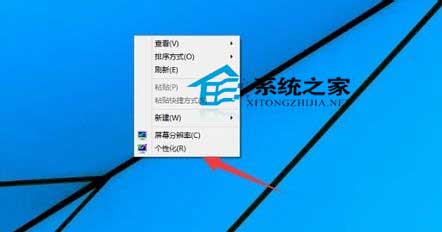
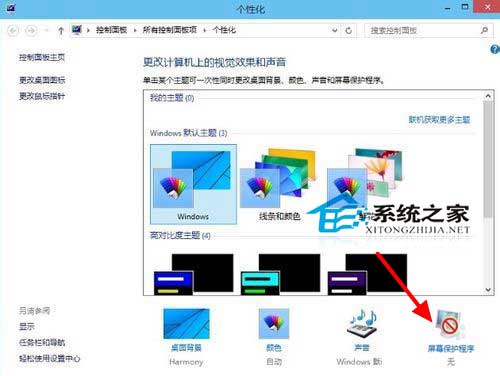
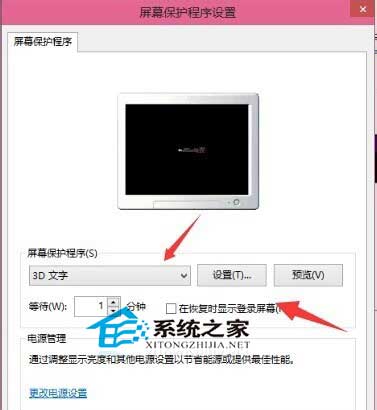
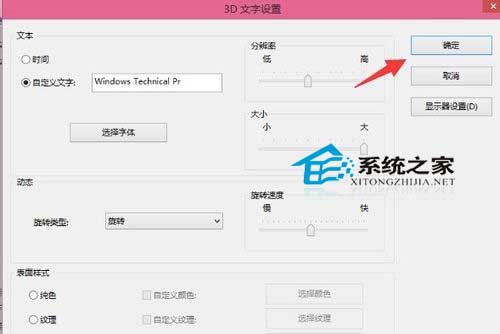
Win10 保留經典螢幕保護程式功能,內建 3D 文字、氣泡、迷宮、相片、絲帶、空白等動畫。設定路徑:
操作邏輯與 Win7/8 一致,若偏好經典動畫(特別是 3D 管道),依此即可啟用。
如何查看 Win10 是否已啟用?判斷正版認證兩種方法
64 位簡體中文 Win10 Build 10240.16425 整合鏡像下載:含前兩波累積更新
Windows 8 遠端桌面連線教學:從開始畫面啟動連線
Windows Server 2016 TP3 新特性深度解析:容器技術成最大亮點
XP 系統待機後無法喚醒解決方案:電源管理、BIOS、主板跳線完整設定
Win10 運行緩慢/卡頓完整優化指南:七大維度系統性解決
老顯卡跑 Windows 7 藍屏?降級驅動至 91.98 版拯救 GeForce 4 MX 4000
Win10 關閉系統動畫特效,讓老舊電腦流暢運行