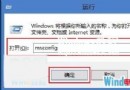
Windows Media Center 作為 Win7 系統內建的媒體播放與錄製組件,對大多數用戶屬於低頻使用功能。移除它可釋放系統資源並簡化功能列表。本文介紹通過「開啟或關閉 Windows 功能」徹底移除的標準方法。
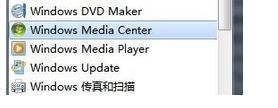
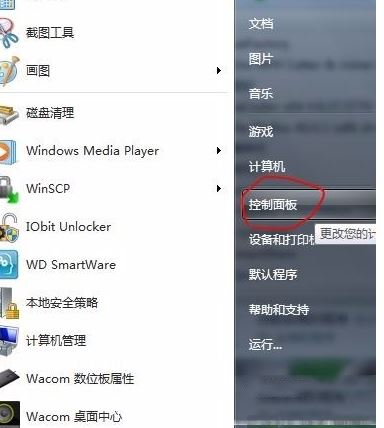
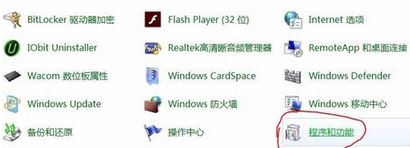
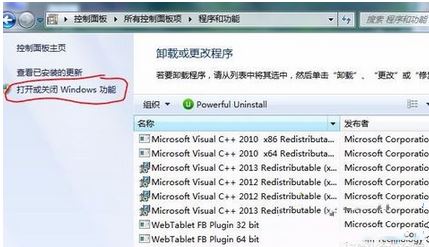
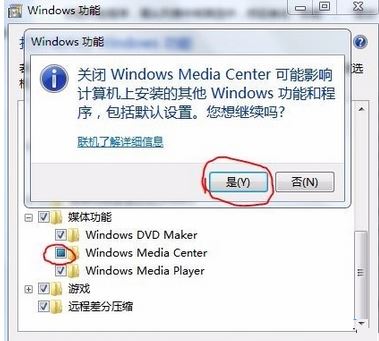
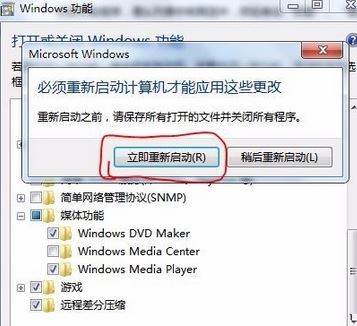
移除後相關註冊表項目、系統檔案將被清理,若未來需要可重新勾選安裝。此操作不影響 Windows Media Player 等其他媒體組件運行。
Win8.1 下載程式提示「簽章無效」?關閉 IE「檢查已下載程式的簽章」選項即可
Windows 10 與 Win8.1/Win7 雙系統安裝完整教學:官方媒體建立工具建立可開機 USB/ISO
Win 10 記憶體 8GB 與 16GB 差異測試:日常使用 8GB 足夠,16GB 僅在大檔案壓縮有優勢
Win10 任務列時間不顯示月份 (顯示 mm)?重新選擇日期格式即可修復
Win10 Build 10125 上手體驗:UI 明顯變化,圖標扁平化、開始菜單字母索引、Windows Hello 亮相
IIS 7.5 (Windows Server 2008 R2) 架設 FTP 7.5 並使用 IIS 管理員憑證驗證完整教學