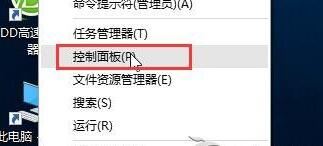
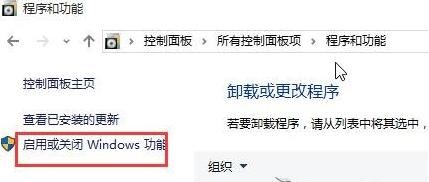
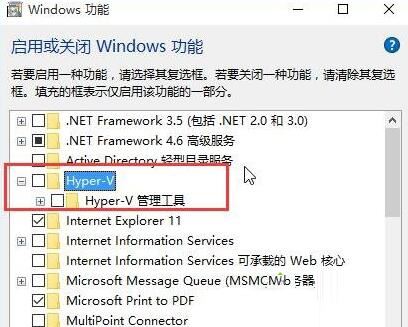
Win10 更新頻繁,部分用戶升級 Build 10523 時遭遇失敗。經測試,關閉 Hyper-V 功能後即可順利升級。
簡單三步解決升級卡住問題,遇到同樣情況可嘗試操作。
Win10 10565 简体中文专业版 64 位 ISO 下载:ESD 转制、SHA1 校验、三种激活途径
Win10 重置電腦出現「發生問題,未進行任何變更」?進階啟動模式下重置或重灌
Win 10 螢幕鎖定設定教學:透過螢幕保護程式與 Win+L 快速鎖定
Win10 群組原則禁止使用者安裝軟體,鎖定企業/共用電腦環境
Windows 8.1 關閉螢幕亮度自動調節,保持亮度恆定
Win7 如何關閉 SmartScreen 篩選器?IE 選單兩步完成,附網站安全檢查替代方案
Win8 變更桌面資料夾儲存路徑至非系統盤,減輕 C 盤負擔,透過屬性→位置→移動完成
升級 Win10 後「停用連線」失敗?網路重置指令與第三方工具雙管齊下