Win 10 10586 版玩 LOL 進遊戲幾分鐘即閃退,主因遊戲資料夾權限不足,無法在 AppData/Temp 建立暫存檔。解決步驟:
Air\LolClient.exe 設定相容模式為 Windows 7 (右鍵內容→相容性→勾選相容模式選 Win 7)。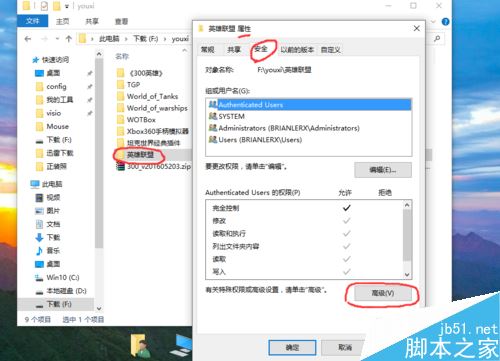
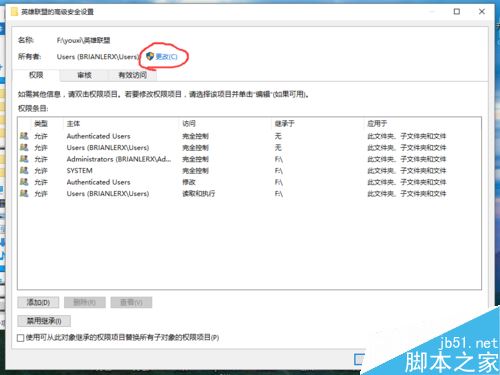
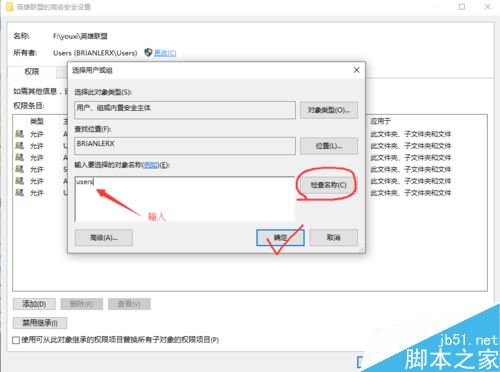
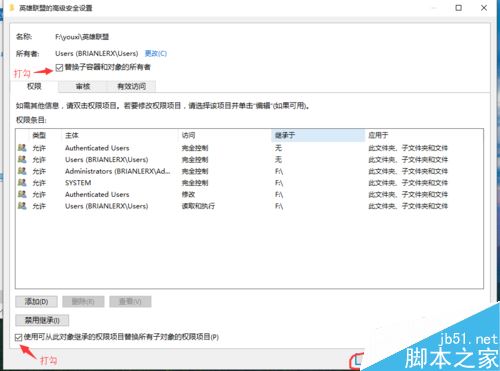
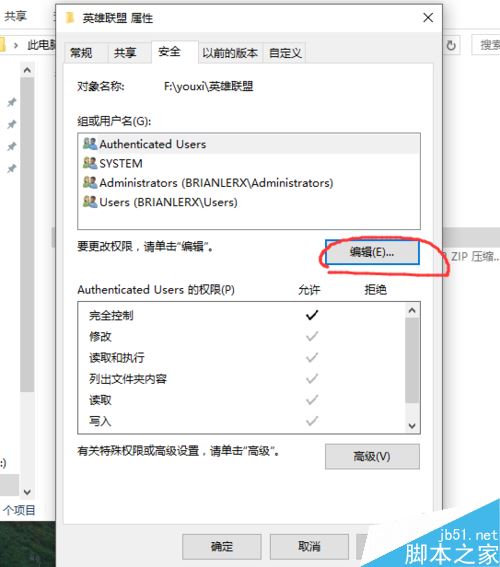
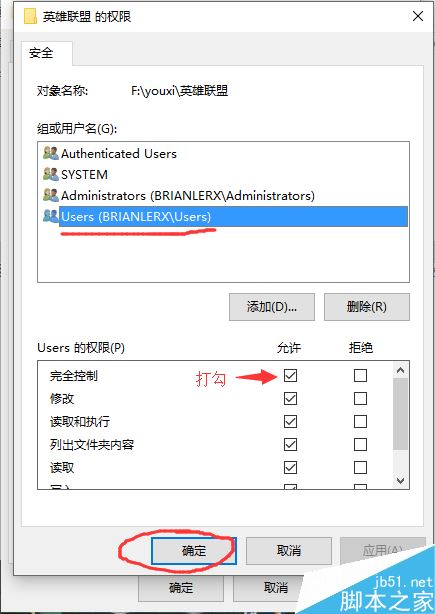
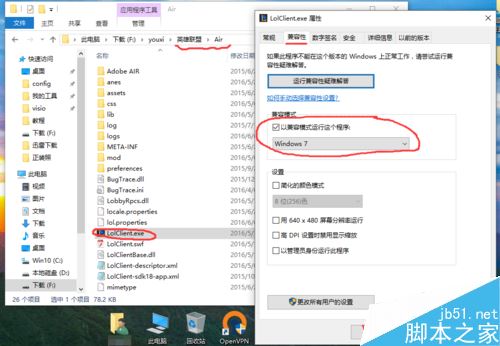
完成後即可正常遊玩。
無法升級 Win10?常見錯誤代碼與解決方案總整理(虛擬機、KB2267602、帳號、Softwaredistribution)
Windows 10 讓 Charms 列回歸桌面:Win+C 快捷鍵或 PopCharms 工具完整教學
XP 回收站清空或刪除檔案如何救回?龍騰資料救援軟體掃描還原
Win10 累積更新 KB3194798 導致磁碟清理顯示 3.99 TB 可刪除垃圾?微軟確認顯示錯誤不影響功能
Win10 正式版降級回 Win7?設定 → 更新與安全性 → 復原 →「回復到 Windows 7」一鍵還原(需重新啟用 Win7 授權)