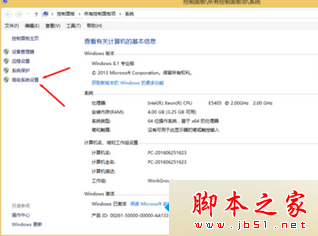
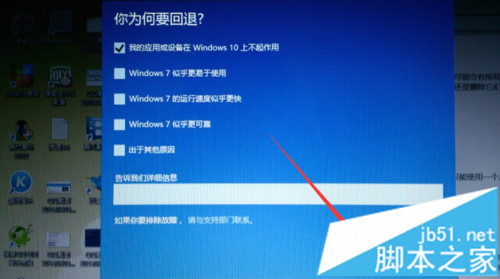
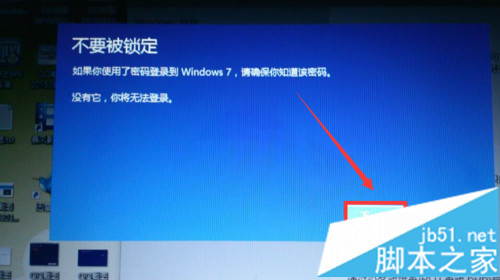
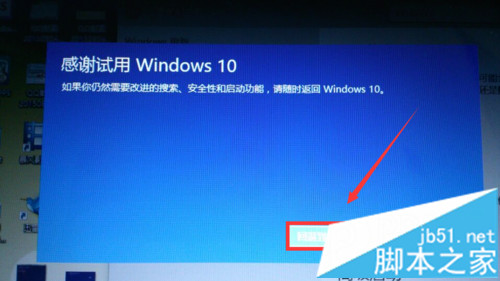
升級 Win10 後覺得不順手,可在 30 天內(或特定條件下)透過內建復原功能回退 Win7:
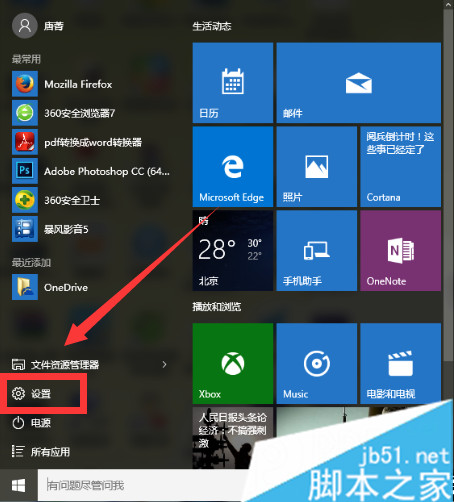
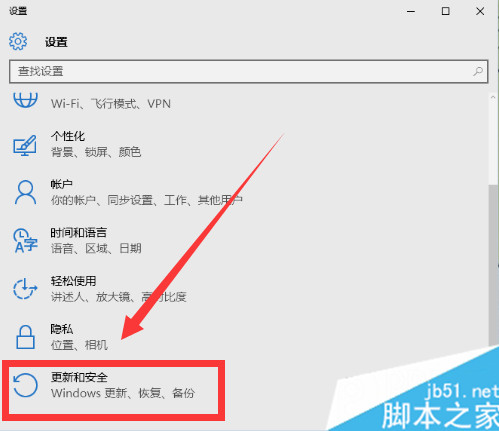
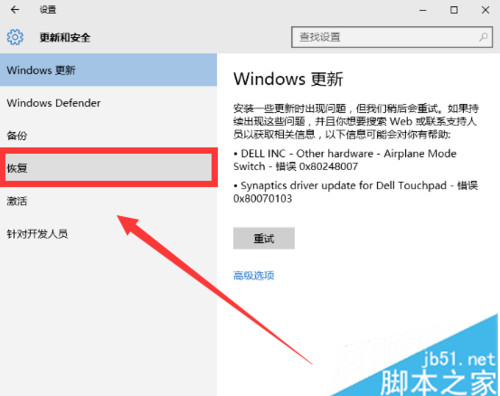
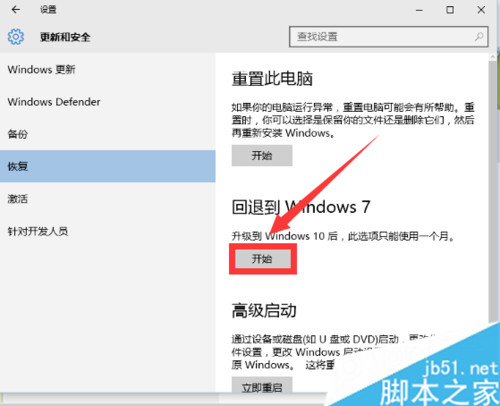
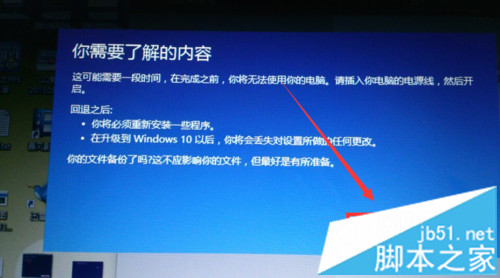
溫馨提醒:回退後需重新啟用 Win7 授權。
Windows 8.1 升級 Windows 10 完整圖文教學(保留應用與檔案)
微軟推出 UpdateAdvisor 工具:助小存儲手機升級 Win10 Mobile
Win10 程式被阻擋無法開啟「發行者不受信任」?透過 IE 內容權限移除不受信任的發行者即可解除封鎖
Windows 8/8.1 切換本地帳號教學(解除 Microsoft 帳號同步)
Win10 開啟 regedit 提示「檔案系統錯誤 -1073740771」?修復系統映像+調整 UAC 解決
如何獲取 Windows 10 Redstone Build 11082?Insider 快速通道更新圖文教學