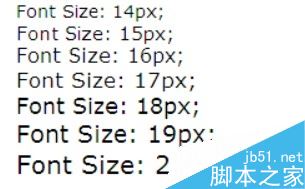
Win 7 自訂系統字型大小步驟
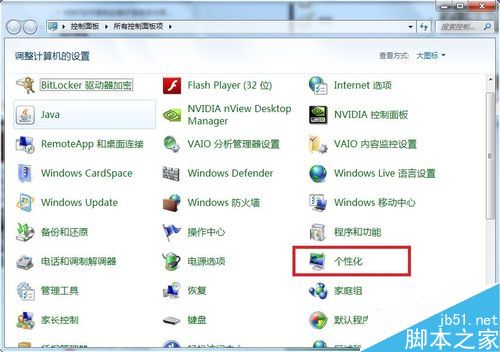
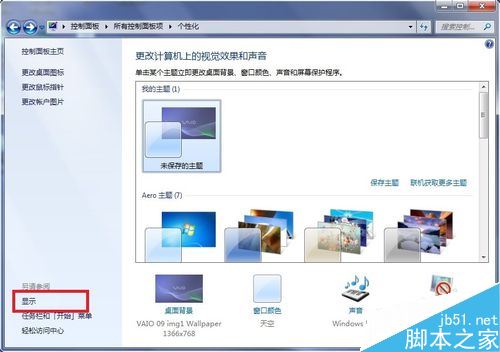
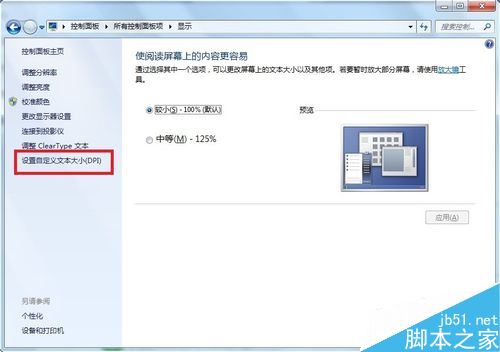
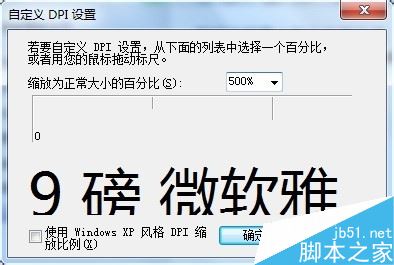
注意:調整 DPI 後部分遊戲可能無法正常執行。
Win10 小娜語音助手換新裝:天氣圖示從單色升級為彩色圖標
Windows 7 開啟 CHM 檔案無法顯示內容/導航被取消?多種解決方案彙總 (含最簡單解除鎖定法)
Win10 一周年更新 Edge 瀏覽器支援 Modern UI 自動化:高對比度、語音合成、觸控優化
Win10 新增硬碟分區完整教學:內建磁碟管理工具與第三方軟體雙方案
Win10 10547 預覽版藍屏重啟?關閉 Windows Defender 開機掃描解決
Win10 Mobile RS1 14267.1004 升級過程截圖記錄:Lumia 950 XL 實測 1.5 小時完成、修復 550 充電 Bug