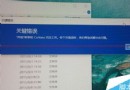
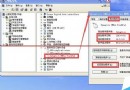
Windows 7 出現「音訊服務未啟動」,服務管理員中啟動 Windows Audio 服務失敗。根因通常是登錄機碼 HKEY_LOCAL_MACHINE\SYSTEM\CurrentControlSet\Services\AudioSrv 遺損或損毀。提供四個 .reg 檔內容,依序匯入即可重建服務設定。
將以下四段內容分別存為 1.reg、2.reg、3.reg、4.reg,雙擊匯入並重新開機。
Windows Registry Editor Version 5.00
[HKEY_LOCAL_MACHINE\SYSTEM\CurrentControlSet\Services\AudioSrv]
"DependOnService"=hex(7):50,00,6c,00,75,00,67,00,50,00,6c,00,61,00,79,00,00,00,\
  52,00,70,00,63,00,53,00,73,00,00,00,00,00
"Description"="管理 Windows 程式的音訊裝置..."
"DisplayName"="Windows Audio"
"ErrorControl"=dword:00000001
"Group"="AudioGroup"
"ImagePath"=hex(2):25,00,53,00,79,00,73,00,74,00,65,00,6d,00,52,00,6f,00,6f,00,\
  74,00,25,00,5c,00,53,00,79,00,73,00,74,00,65,00,6d,00,33,00,32,00,5c,00,73,\
  00,76,00,63,00,68,00,6f,00,73,00,74,00,2e,00,65,00,78,00,65,00,20,00,2d,00,\
  6b,00,20,00,6e,00,65,00,74,00,73,00,76,00,63,00,73,00,00,00
"ObjectName"="LocalSystem"
"Start"=dword:00000002
"Type"=dword:00000020
[HKEY_LOCAL_MACHINE\SYSTEM\CurrentControlSet\Services\AudioSrv\Parameters]
"ServiceDll"=hex(2):25,00,53,00,79,00,73,00,74,00,65,00,6d,00,52,00,6f,00,6f,\
  74,00,25,00,5c,00,53,00,79,00,73,00,74,00,65,00,6d,00,33,00,32,00,5c,00,\
  61,00,75,00,64,00,69,00,6f,00,73,00,72,00,76,00,2e,00,64,00,6c,00,6c,00,00,\
  00
"ServiceDllUnloadOnStop"=dword:00000001
[HKEY_LOCAL_MACHINE\SYSTEM\CurrentControlSet\Services\AudioSrv\Enum]
"0"="Root\\LEGACY_AUDIOSRV\\0000"
"Count"=dword:00000001
"NextInstance"=dword:00000001
Windows Registry Editor Version 5.00
[HKEY_LOCAL_MACHINE\SYSTEM\ControlSet001\services\POWER]
...(完整機碼內容略,含 DisplayName, ImagePath, Description, FailureActions 等)...
[HKEY_LOCAL_MACHINE\SYSTEM\ControlSet002\services\POWER]
...(同 ControlSet001)...
[HKEY_LOCAL_MACHINE\SYSTEM\CurrentControlSet\services\POWER]
...(同 ControlSet001)...
匯入完成後重新開機,音訊服務應恢復正常啟動。