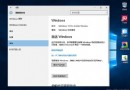
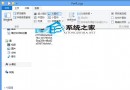
啟用後,單擊選取檔案,右側窗格即可即時預覽內容,支援格式包括:
無需開啟完整應用程式即可快速瀏覽文件內容,大幅提升檔案管理與尋找效率。
Windows 10 清除「執行」對話方塊歷史記錄與開始功能表常用應用程式紀錄
Win7 系統 Rundll32.exe 應用程式錯誤完整排除教學
Win7 如何顯示隱藏檔案與受保護系統檔案:資料夾選項完整設定圖解
Win10 任務列新增「顯示桌面」圖標自製教學
Win10 Build 10061 鎖畫面黑屏解決:微軟釋出 KB3055415 修補程式與臨時繞過法
Win10 Build 10049 問題修復匯總:登入藍畫面、Outlook 搜尋、虛擬機相容、照片應用崩潰、開始畫面透明、鎖定卡頓 + 反饋管道
Win10 應用商店無法下載應用?四種解決方案依序嘗試
Win7 藍屏 0x000000C2 完整排除指南:網路共享、驅動不符、事件檢視器、WinDbg 分析