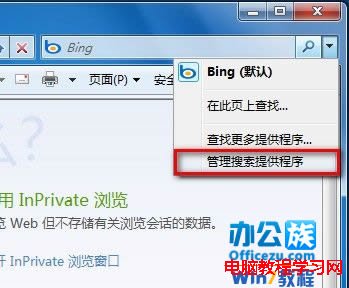
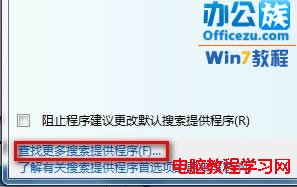
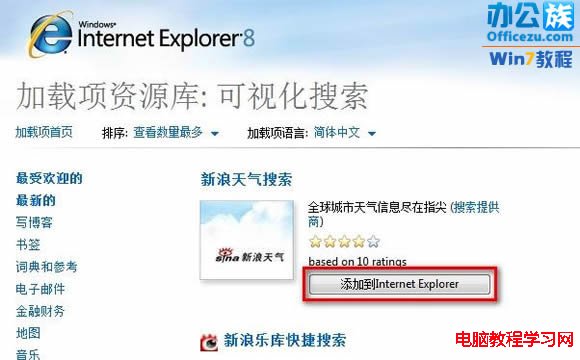
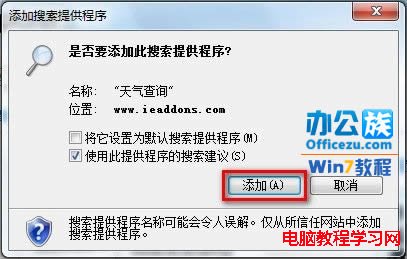
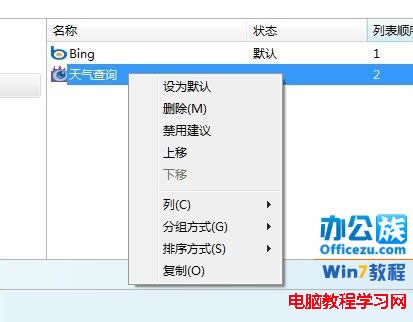
Internet Explorer 8+ 位址列右側內建搜尋框,預設為 Bing,可透過「管理搜尋提供者」新增 Google、Yahoo、DuckDuckGo 或自訂搜尋引擎並設為預設。



| 搜尋引擎 | 特色 | 增益集庫關鍵字 |
|---|---|---|
| 全球最大、演算法最優 | Google Search | |
| DuckDuckGo | 隱私優先、不追蹤 | DuckDuckGo |
| Yahoo | 整合新聞/財經/郵件 | Yahoo Search |
| Bing | 微軟自家、獎勵計畫 | 預設內建 |
| Startpage | Google 結果 + 隱私保護 | Startpage |
| Ecosia | 搜尋種樹、環保公益 | Ecosia |
若增益集庫無所需引擎,可建立 .xml 檔案定義 OpenSearch 描述文件,放置網站伺服器並透過 <link rel="search" type="application/opensearchdescription+xml" title="My Search" href="/opensearch.xml"> 讓 IE 自動偵測安裝。
HKEY_CURRENT_USER\Software\Microsoft\Internet Explorer\SearchScopes
DefaultScope = "{GUID}" (目標搜尋提供者 Scope GUID)
Scope "{GUID}" 下設定 DisplayName、URL、FaviconURL 等
g 關鍵字 用 Google、d 關鍵字 用 DuckDuckGo)