IE7/IE8 強化安全性導致許多區域網路使用者無法直接使用 FTP 服務。提供三種解決方案:啟用被動式 FTP、修改登錄檔、使用 FTP 用戶端工具。
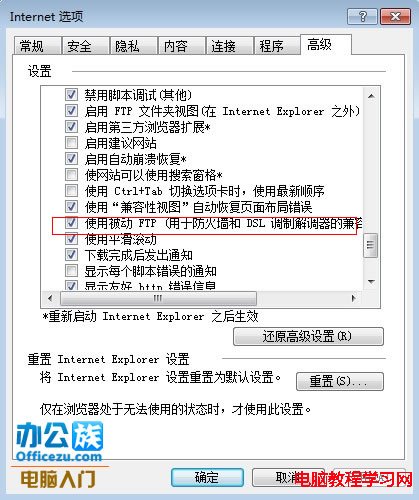
開啟 IE →「工具」→「網際網路選項」→「進階」→ 勾選「使用被動式 FTP」→ 確定重開瀏覽器。

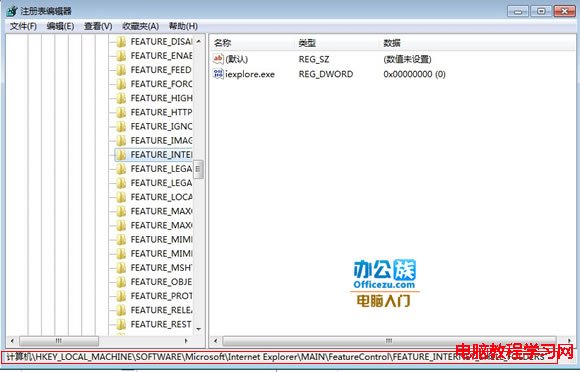
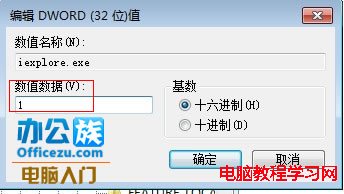
執行 regedit,瀏覽至 HKEY_LOCAL_MACHINE\SOFTWARE\Microsoft\Internet Explorer\Main\FeatureControl\FEATURE_INTERNET_SHELL_FOLDERS,將 iexplore.exe 值改為 1。


前兩種方法在 Windows Server 2003 修補特定更新後可能失效,建議直接使用 FileZilla、FlashFXP 等專用 FTP 用戶端工具連線。