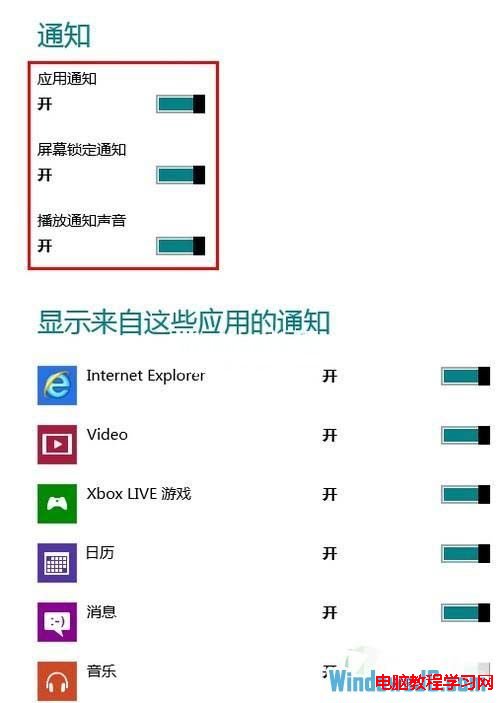
Windows 8 的通知功能可在應用程式有新訊息、更新時彈出提醒。使用者可透過電腦設定自由開啟或關閉此功能。
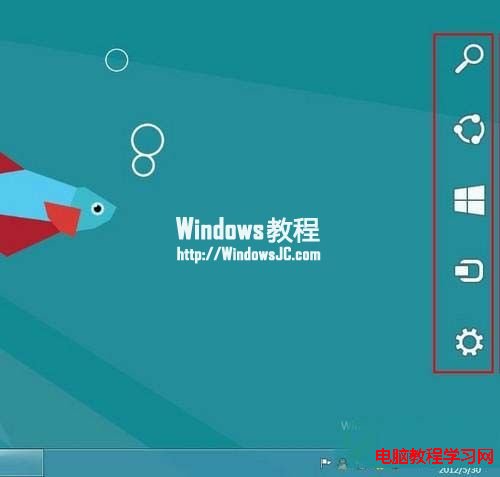
1、將滑鼠移至螢幕右下角喚出魅力列。
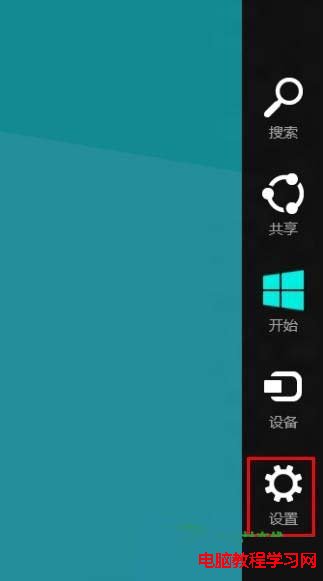
2、點選齒輪圖示「設定」。
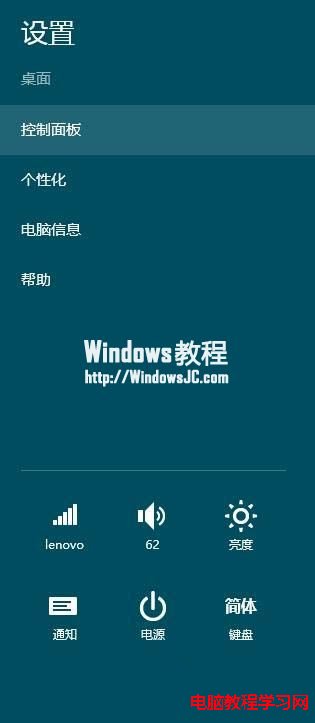
3、點選「變更電腦設定」。
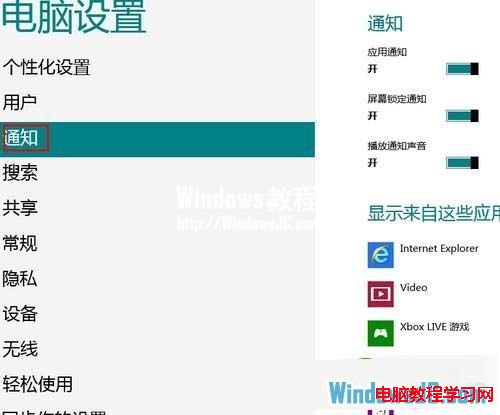
4、左側選擇「通知」。
5、右側即可切換「顯示應用程式通知」開關,並可針對個別應用程式設定通知權限。
Win7 開機不顯示輸入法?三種方法喚醒輸入法圖示
Win10 遠端桌面連線 Win2003 卡頓解決:停用 TCP 自動調諧
Win10 螢幕畫面倒轉怎麼辦?三種方法快速恢復正常方向
Win10 找不到 IE 瀏覽器?三種方法建立桌面捷徑
Windows XP 使用 Qfixapp.exe 修補損壞系統程式
Windows 10 首波功能更新命名「Threshold wave 2」:10 月推出、專注優化穩定
WinXP 利用批次檔追蹤 IP 位址找出未使用位址解決 DHCP 衝突
Win10 使用者瘋狂吐槽:最期待改進的 5 大功能