Windows XP Windows 7 Windows 2003 Windows Vista Windows 綜合教學 Linux 系統教學
Windows 10 Windows 8 Windows 2008 Windows NT Windows Server 電腦軟體教學
您现在的位置: Windows教程網 >> Windows教程 >  >> Windows 綜合教學 >> 關於 Windows

Windows 7 磁碟清理工具完整使用教學:掃描清除系統垃圾、臨時檔案、縮圖快取、錯誤報告

編輯:關於 Windows

電腦用久變慢,磁碟清理可移除非必要檔案釋放空間。Windows 7 內建工具支援清理系統檔案 (需管理員權限),效果優於第三方清理軟體。

操作步驟

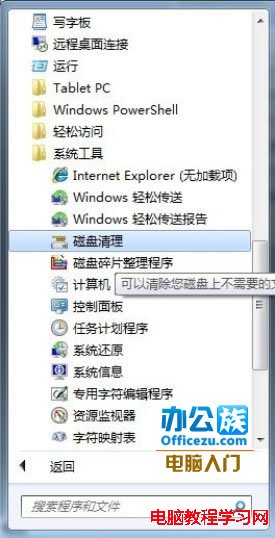
  1. 開始 → 所有程式 → 附屬應用程式 → 系統工具 → 「磁碟清理」。
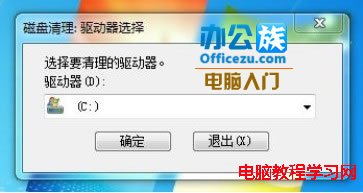
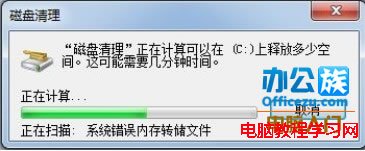
  2. 選擇要清理的磁碟 (通常 C:\) → 確定 → 等待掃描。
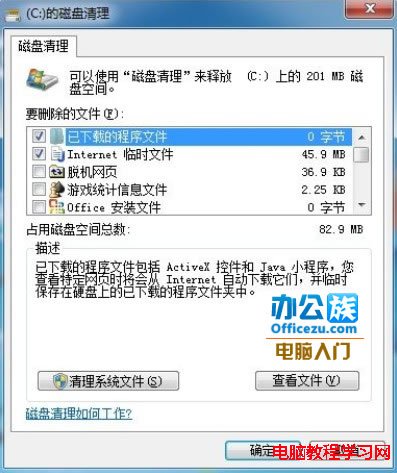
  3. 掃描完成 → 勾選要刪除的檔案類型:
    • 下載的程式檔案
    • 臨時網際網路檔案
    • 回收站
    • 臨時檔案
    • 縮圖快取
    • 錯誤報告/記憶體傾印
    • 系統錯誤記憶體傾印
    • Windows 更新清理 (清除舊版更新備份)
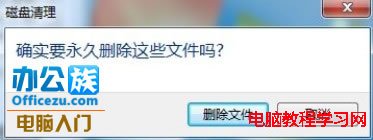
  4. 「確定」→ 「刪除檔案」確認 → 等待清理完成。

定期執行 (建議月一次) 可保持系統輕盈穩定。

Copyright © Windows教程網 All Rights Reserved