Windows 8 工作列預設鎖定在底部,可透過屬性設定移至四邊任一位置,或切換小圖示模式騰出螢幕空間。
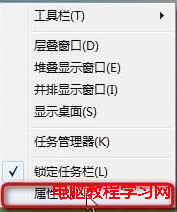
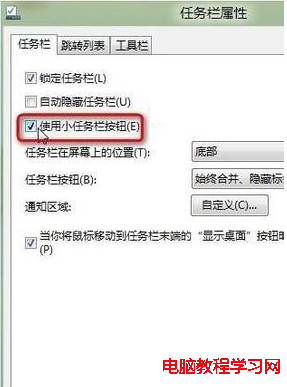
調整後即時生效,無需重開機。習慣垂直工作列的用戶可移至左/右側,寬螢幕下垂直排列更節省垂直空間。
Win10 內建 PowerShell 變身超強智能計算機:四則運算、容量單位換算全搞定
Win10 一週年更新將正式內建深色模式:系統級變暗、非部分變暗、開始選單提供切換開關
Windows 10 正式版雖好,但用戶指出至少 8 大缺點:設定混亂、強制更新、Edge 體驗不足等
Win10 安裝與啟用 Office 2016 完整圖文教學:從 ISO 掛載安裝到 KMS 激活工具使用
Win10 相容性優異:完美運行 20 年前的 Word 95
Windows Server 2003 桌面使用常見問題解決:效能、音效、IE 安全性、影片播放優化