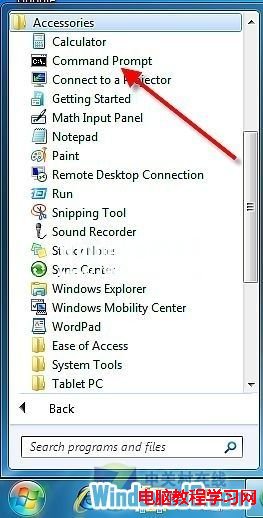
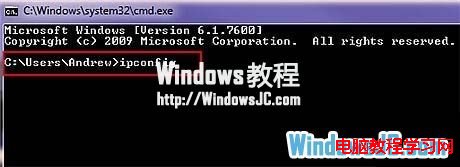
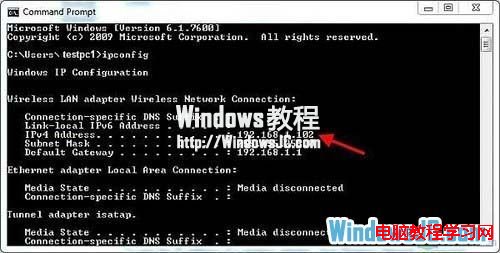
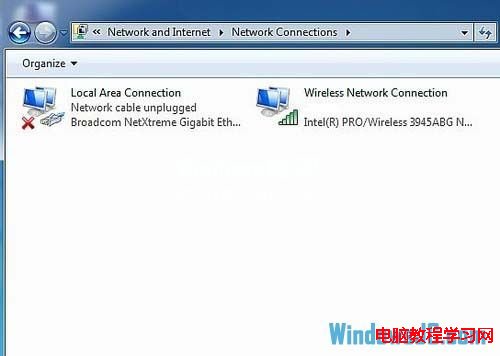
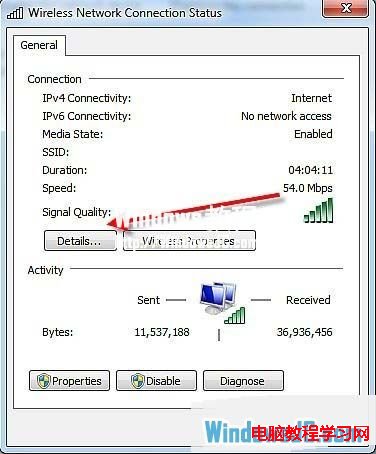
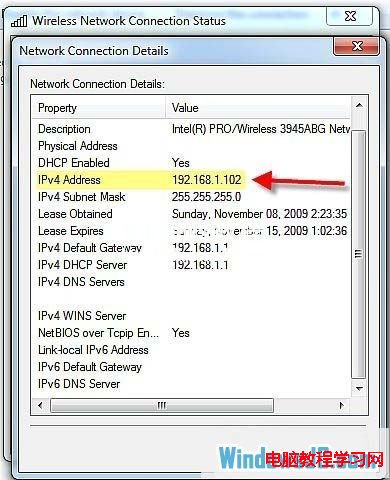
Windows 7 查看 IP 位址方式與 XP 不同,提供兩種查詢管道:命令列 ipconfig 快速查看,或透過網路介面卡狀態視窗查看詳細資訊。
ipconfig
CMD
cmd
IPv4 位址
192.168.1.100
兩種方法皆可快速取得內網 IP 位址,命令列法最適合習慣鍵盤操作的使用者。
Windows 8 檔案總探索器顯示副檔名(擴展名)快速設定教學
Windows 9 預覽版發布時間表:9 月 30 日發布會、10 月公開測試
Windows 系統強制定期修改密碼:群組原則/命令列/排程工作 三管齊下,建立資安好習慣
Win7 內建磁碟管理免費無損調整分區大小:壓縮/擴展/新建完整圖文教學
Win10 省電模式設定教學:自訂觸發電量門檻與允許背景活動的應用程式
Windows 10 Build 10130 電池顯示改進:圖標放大、亮度四段快捷調節
Windows 10 開啟工作管理器三大法:搜尋、快捷鍵、執行指令
解決 Windows 7 64 位元版 QQ 五筆聯想欄背景變黑問題