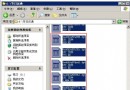
即刻顯示所有檔案副檔名,方便辨識與修改。同介面亦可勾選「隱藏的項目」顯示一般隱藏檔。
Win7 耳機有雜音/電流聲?關閉「麥克風增益」與「麥克風加強」即可消除
Win10 15002官方ISO鏡像下周發布:唐娜姐確認制作中,附自制版下載替代方案
Win10 點擊「將其他人新增到這台電腦」閃退?啟用 UAC 管理員核准模式即可修復
Win7 安裝 MSI 出現「無法存取 Windows Installer 服務」?刪除註冊表 DisabledSessions 解決
Win8 內建分螢幕功能教學:無需第三方軟體,Modern 應用與桌面並排
Windows 10 正式版官方下載與新功能介紹:跨平台、雙模式開始選單、多工作業、Charms Bar 保留
Win7 修改登入畫面背景圖片完整教學(註冊表法)
Win10 快速啟動欄消失怎麼辦?一鍵找回經典快速啟動列教學