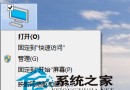
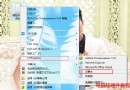
Windows Media Player 媒體庫若無法新增檔案,通常是資料庫檔案損毀。停用相關服務並重命名 Windows Media 資料夾,重開 WMP 即可自動重建資料庫解決問題。
1. 關閉 Windows Media Player。
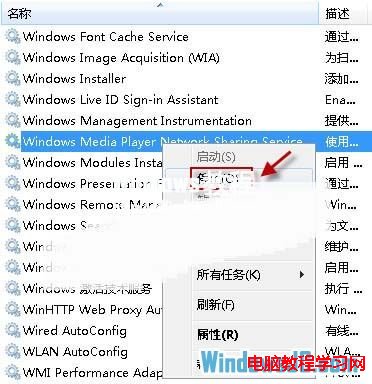
2. Win + R 輸入 services.msc → 停用所有以「Windows Media Player」開頭的服務。

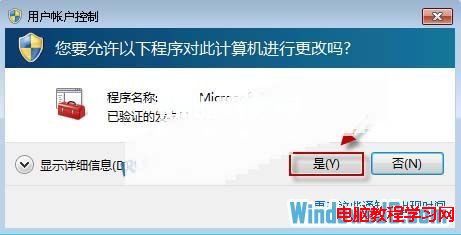
3. 在檔案總管地址列輸入 %USERPROFILE%\Local Settings\Application Data\Microsoft → 找到 Windows Media 資料夾 → 重新命名(如 Windows Media Old)。
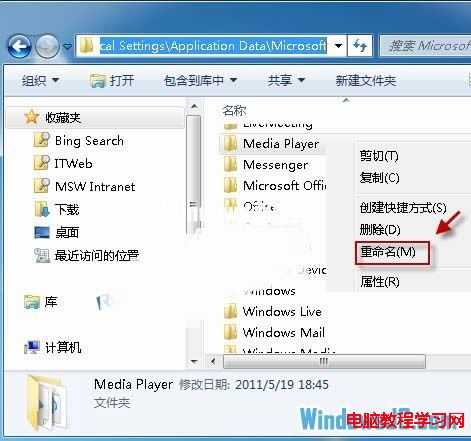
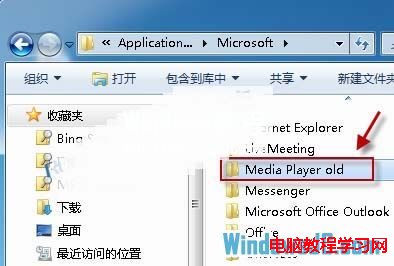
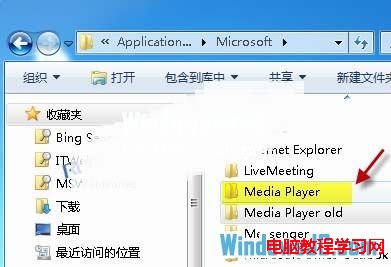
4. 重新開啟 Windows Media Player,系統自動重建 Windows Media 資料夾與資料庫,媒體庫功能恢復正常。
Win10 Mobile/PC 如何使用隨機無線網卡 MAC 位址防止追蹤?硬體支援下一鍵開啟
Win10 Build 10036 新增 83 個扁平化圖標:設計風格爭議、垃圾桶被吐槽、疑似 Win98 復刻加色?
Win10 內建鬧鐘 App 完整設定教學:新增、編輯、鈴聲與重複模式詳解
Windows Server 2008 R2 Web 伺服器環境完整建置教學:ASP.NET、PHP、MSSQL、MySQL、FTP、元件全搞定
Win10 Mobile 10166 快速版更新內容完整彙總
Win10 預設瀏覽器被鎖定為「啟動 Windows 應用程式」?解鎖第三方軟體鎖定恢復 Edge/Chrome 選擇權