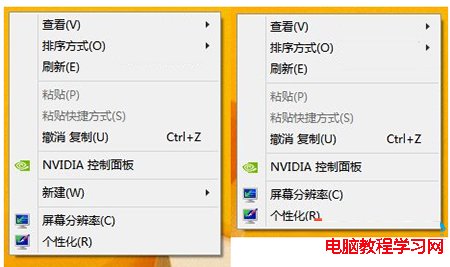
Win8 右鍵「新增」選單不見了?修復登錄表鍵值即可找回:
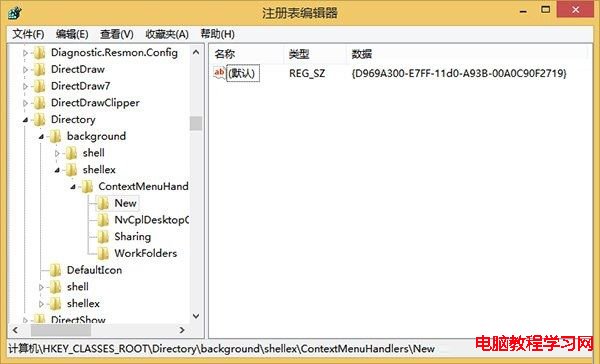
regedit
HKEY_CLASSES_ROOT\Directory\Background\shellex\ContextMenuHandlers\New
{D969A300-E7FF-11d0-A93B-00A0C90F2719}
四步驟快速修復,右鍵新建功能恢復正常。
Win10 新增語言包提示「連線到 Internet 檢查語言包」兩大解法
Windows 7 刪除多餘 IPv6 隧道介面卡 (Teredo/6to4/ISATAP) 淨化 ipconfig 輸出
Windows 7 變更使用者帳戶名稱教學
Win10 禁止開機自動啟動語音辨識,避免啟動干擾
Windows 7 攝影機黑畫面無法啟動?原因分析與驅動修復完整指南
Windows 10 預設壁紙「Hero」設計幕後:雷射、霧氣、LED 實拍非 PS 合成
Win10 內建「Microsoft Print to PDF」免安裝軟體將 Word 轉 PDF 完整教學
Windows 7 移除桌面圖示虛線框:效能選項設定教學