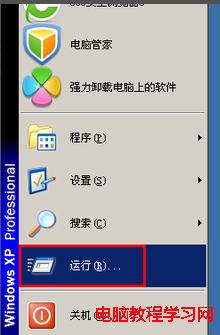
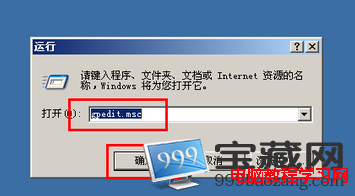
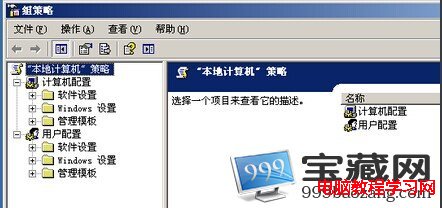
Windows 7 專業版/企業版/旗艦版內建群組原則編輯器(gpedit.msc),家用版無此功能。快速開啟方法:
gpedit.msc
群組原則是管理員控制程式、網路資源、作業系統行為的主要工具,可設定軟體安裝、安全性選項、腳本、資料夾重導向等數百項策略。家用版用戶可透過第三方工具(如 Policy Plus)或登錄表達成類似效果。
Win7 更換使用者帳戶圖片教學:內建圖片或自訂照片皆可
Windows 7 更換桌面背景與動態輪播:個人化設定指定資料夾、多圖輪播、間隔自訂
XP 自訂 USB 隨身碟/硬碟資料夾背景圖片教學:desktop.ini 設定碼 (ExtShellFolderViews 版)
Win10 內建「相片」App 相簿功能完整使用教學
Windows 10 預覽版 10558「電話」應用細節:支援通話錄音功能 (需雙方同意)、整合撥號介面
Windows 10 七大版本完整差異解析:家庭版、專業版、企業版、教育版、移動版、移動企業版、物聯網核心版
Win10 找不到「網路和共用中心」?三種快速開啟法
解決 Windows 7 筆電玩遊戲畫面無法全螢幕:四大顯晶片廠商設定對照表