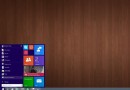
Windows 8 開始畫面的應用程式磚右鍵選單預設包含「解除釘選」、「解除安裝」、「調整大小」等選項。為防止誤刪重要應用,可透過群組原則隱藏「解除安裝」選項。
gpedit.msc 開啟本機群組原則編輯器。使用者設定 → 系統管理範本 → 開始功能表和工作列
設定生效後,開始畫面應用程式右鍵選單將不再顯示「解除安裝」選項,僅保留解除釘選、調整大小等功能,避免誤操作導致應用遺失。
WinXP 無法玩網頁遊戲?用 360 安全衛士一鍵修復教學
Windows Server 2012 激活完整教學:試用版轉正式版、正式版啟用、版本間轉換 DISM 指令詳解
Win10 Mobile 10586.218 正式版更新內容:修復雙卡語音信箱、關機延遲、流量統計、應用內購、人臉辨識、藍牙配對等問題
升級 Windows 10 超簡單:微軟廣告展示 10 歲兒童輕鬆完成升級操作
修改登錄檔提升 Win7 任務列預覽切換速度:ThumbnailLivePreviewHoverTime 參數完整教學