Windows XP Windows 7 Windows 2003 Windows Vista Windows 綜合教學 Linux 系統教學
Windows 10 Windows 8 Windows 2008 Windows NT Windows Server 電腦軟體教學
您现在的位置: Windows教程網 >> Windows教程 >  >> Windows 綜合教學 >> 關於 Windows

Win8/8.1 停用 Modern 鎖定畫面 (鎖屏壁紙) 直接進入登入介面:群組原則設定

編輯:關於 Windows

Win8/8.1 引入 Modern 鎖定畫面 (顯示時間、網路、電池等),非觸控裝置使用者常覺得多此一舉。透過群組原則可停用,直接進入登入畫面。

操作步驟

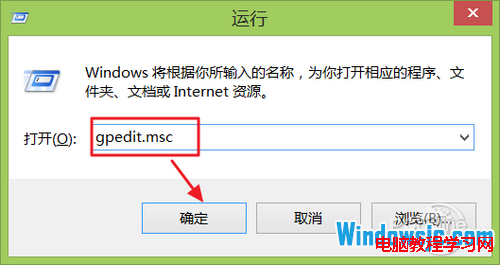
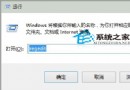
  1. Win+R → gpedit.msc → 開啟 本機群組原則編輯器。
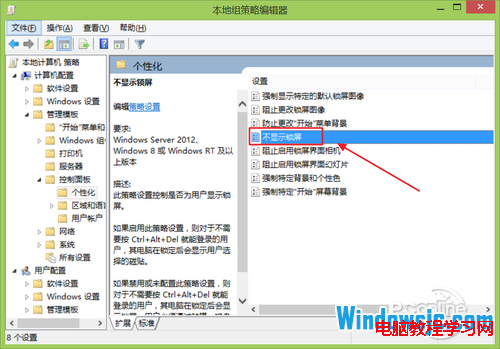
  2. 依序展開:電腦設定 → 系統管理範本 → 控制台 → 個人化。
  3. 右側雙擊 不顯示鎖定畫面。
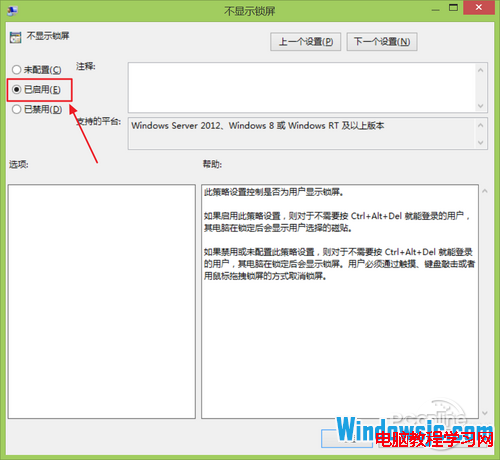
  4. 選 已啟用 → 確定。

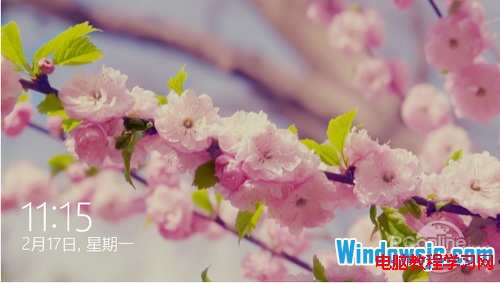
Modern 鎖定畫面示意

開啟 gpedit.msc

個人化設定不顯示鎖定畫面

設為已啟用

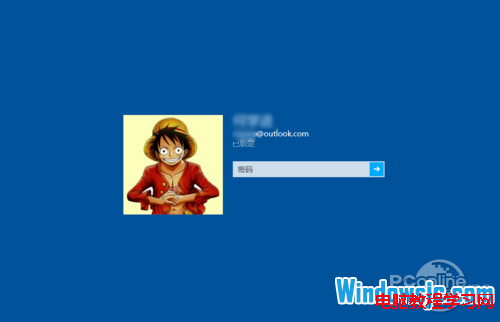
直接進入登入介面

恢復鎖定畫面

同路徑將 不顯示鎖定畫面 設為 已停用 或 未設定 即可。

適用版本: Windows 8、8.1 專業版/企業版/旗艦版 (家用版無 gpedit.msc,可用登錄表 HKLM\SOFTWARE\Policies\Microsoft\Windows\Personalization\NoLockScreen=1 達到相同效果)。Win10/11 同樣支援此原則。

Copyright © Windows教程網 All Rights Reserved