Windows XP Windows 7 Windows 2003 Windows Vista Windows 綜合教學 Linux 系統教學
Windows 10 Windows 8 Windows 2008 Windows NT Windows Server 電腦軟體教學
您现在的位置: Windows教程網 >> Windows教程 >  >> Windows 綜合教學 >> 關於 Windows

Windows 修改 Hosts 檔案完整教學:封鎖網站、去廣告、本地解析

編輯:關於 Windows

Hosts 檔案位置

C:\Windows\System32\drivers\etc\hosts

編輯步驟

  1. 以系統管理員身分開啟記事本(右鍵記事本 → 「以系統管理員身分執行」)
  2. 檔案 → 開啟 → 瀏覽至上述路徑 → 檔案類型選「所有檔案」→ 選取 hosts → 開啟
  3. 在檔案末尾新增對應關係,格式:
    IP位址 域名
    範例:
    127.0.0.1 ad.example.com(封鎖廣告域名)
    192.168.1.100 myserver.local(本地解析)
  4. 儲存檔案(Ctrl + S)
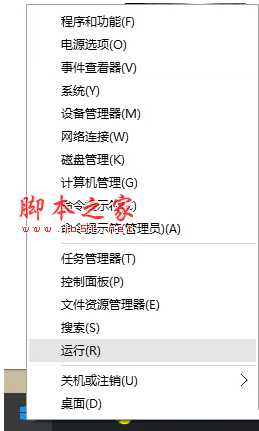
  5. 生效驗證:Win + R → cmd → ping 域名 應解析為指定 IP

常見用途

  • 封鎖惡意/廣告/追蹤域名(指向 127.0.0.1 或 0.0.0.0)
  • 本地開發環境域名解析(避免修改 DNS)
  • 測試網站遷移前的新伺服器 IP
  • 阻擋特定網站存取(家長控制)

注意事項

  • 需管理員權限編輯,否則無法儲存
  • 修改後可能需清除 DNS 快取:ipconfig /flushdns
  • 部分安全軟體會保護 hosts 檔案,需暫時停用防護
  • IPv6 封鎖需同時加入 ::1 域名
Copyright © Windows教程網 All Rights Reserved