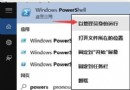
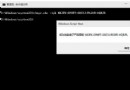
x86 (32-bit) 或 x64 (64-bit) 資料夾。notification.exe,隱藏通知中心即出現在任務列右側。q + Enter。風險提示: 非官方功能,可能導致系統不穩定,請自行評估風險並備份重要資料後再嘗試。
Windows XP 虛擬機安裝 Ubuntu 14.04 透過 Samba 實現檔案共享完整實錄
Windows 10 技術預覽版 4 大實用技巧:開始畫面切換、Modern 應用全螢幕、開始選單配色、虛擬桌面操作
Win10 Mobile 紅石版 VLC 播放器 5 月釋出,測試版下周公測,僅支援 Redstone 分支
Win7 手動啟用 Windows Event Log 服務報錯 4201?權限修復 RTBackup 資料夾 + 重啟服務
Win10 重置這台電腦:一招解決升級後各種 Bug(黑屏、閃退、卡頓),附保留檔案模式教學
Win10 開始按鈕右鍵無反應、超級選單不顯示?修補登錄 IsShortcut 字串值秒修復(附軟媒魔方備份教學)
硬碟安裝 Win10 完整教學:NT6 HDD Installer 免 USB/光碟直接在現有系統安裝
Windows時間同步失敗「與time.windows.com同步時發生錯誤」?啟用Windows Time服務並手動同步完整教學