Windows XP Windows 7 Windows 2003 Windows Vista Windows 綜合教學 Linux 系統教學
Windows 10 Windows 8 Windows 2008 Windows NT Windows Server 電腦軟體教學
您现在的位置: Windows教程網 >> Windows教程 >  >> Windows 綜合教學 >> 關於 Windows

Win8 筆電關閉內顯強制使用外接獨顯:BIOS 與控制面板雙法

編輯:關於 Windows

筆電加裝獨顯後,需停用內顯才能發揮效能。兩種方法任選:
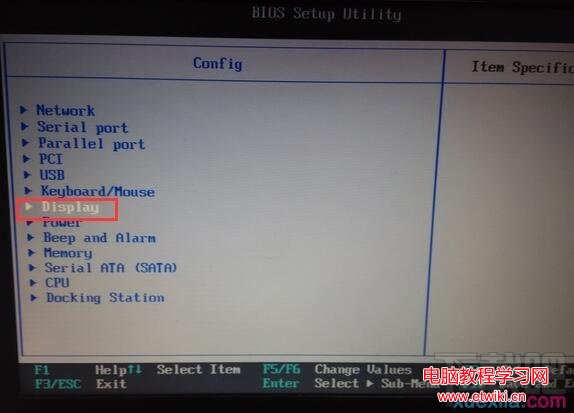
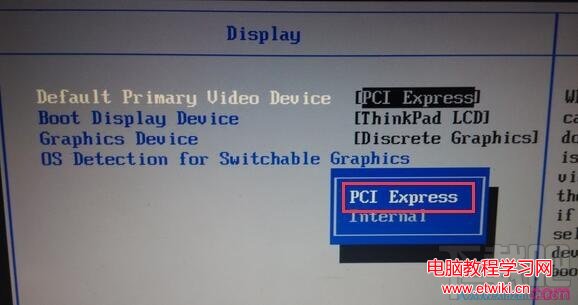
方法一:BIOS 設定(最徹底)

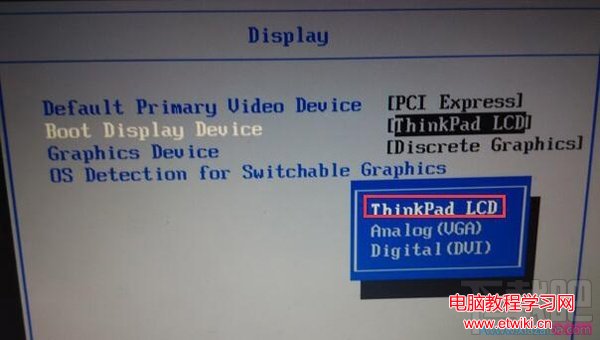
  1. 開機連按 Esc 進 BIOS →「Setup-Config」→「Display」。
  2. Default Primary Video Device 選 PCI Express(獨顯),勿選 Internal(內顯)。
  3. Boot Display Device 選 ThinkPad LCD。
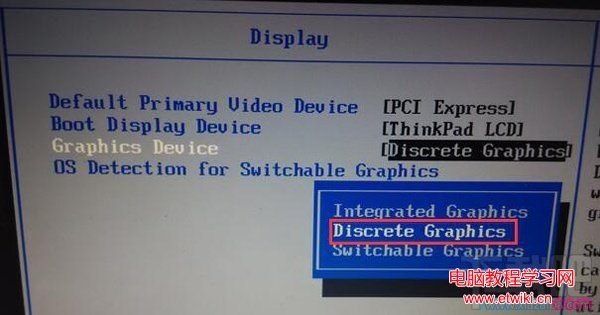
  4. Graphics Devices 選 Discrete Graphics(獨顯)。

BIOS Display 選單 Primary Video Device Boot Display Device Graphics Devices

方法二:NVIDIA 控制面板(僅應用層級)

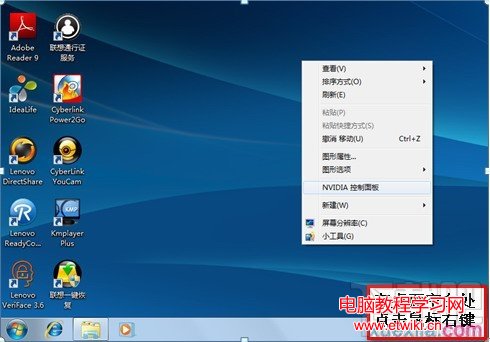
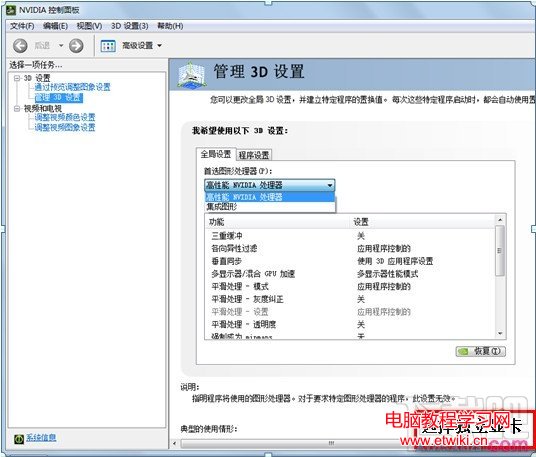
  1. 桌面右鍵 →「NVIDIA 控制台」→「管理 3D 設定」。
  2. 「全域設定」→「慣用圖形處理器」選「高效能 NVIDIA 處理器」。

NVIDIA 控制台 3D 設定選獨顯

BIOS 法從硬體層面停用內顯,效能最佳;控制面板法僅導向應用使用獨顯,內顯仍運作。視需求選擇。

Copyright © Windows教程網 All Rights Reserved