Windows XP Windows 7 Windows 2003 Windows Vista Windows 綜合教學 Linux 系統教學
Windows 10 Windows 8 Windows 2008 Windows NT Windows Server 電腦軟體教學
您现在的位置: Windows教程網 >> Windows教程 >  >> Windows 綜合教學 >> 關於 Windows

升級 Windows 10 提示「正在還原舊版本」失敗?360 升級助手檢測與全新安裝雙保險

編輯:關於 Windows

Win7/8.1 升級 Win10 過程中出現「正在還原以前版本的 Windows」導致升級失敗回滾,兩大解決方案:

正在還原舊版本提示

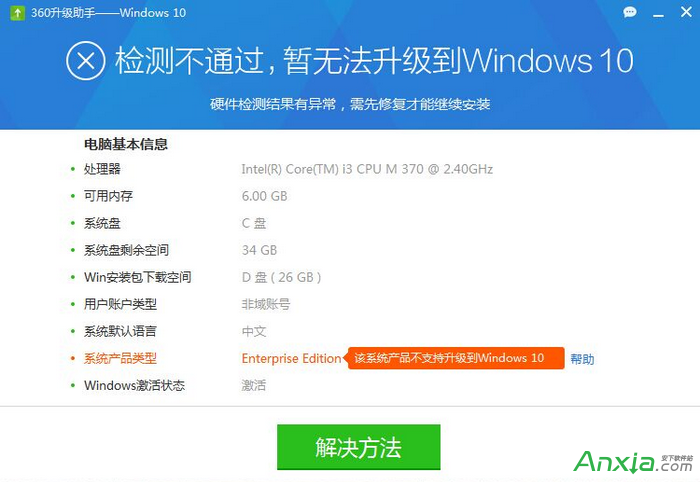
方案一:360 Windows 10 升級助手預檢修復

  • 下載執行 360 升級助手,針對硬體相容、軟體衝突自動檢測修復。
  • 硬體不相容會給出具體修復建議 (如更新 BIOS、驅動等)。

360 升級助手檢測介面

方案二:下載 ISO 全新安裝 (最穩妥)

  • 升級安裝易受舊系統殘留干擾,全新安裝最乾淨。
  • ISO 取得途徑:
  1. MSDN 訂閱者:msdn.itellyou.cn 下載官方原版 ISO。
  2. 一般用戶:微軟官方 Media Creation Tool 下載 ISO 並製作 USB/光碟安裝媒體。

使用 USB/硬碟/光碟啟動全新安裝,避免升級遷移帶來的諸多相容性問題。

Copyright © Windows教程網 All Rights Reserved